

Exam Grading and Evaluation
Grade exams with AI, automated scoring, and flexible evaluation methods across all question types.
TestInvite provides flexible grading options to support a wide range of assessment scenarios. From automatic scoring and rule-based evaluation to AI-assisted, rubric-based, and manual grading, the platform enables accurate and scalable evaluation workflows.
Automatic grading
Objective questions such as multiple choice, matching, and true/false are graded instantly based on predefined scoring rules. Results are calculated automatically as soon as the test is submitted.
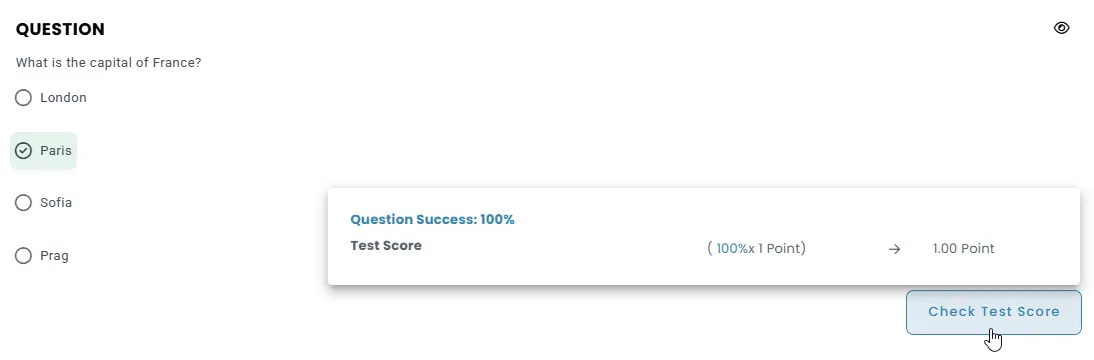
Percentage-based scoring for answer choices
Each answer option can be assigned a percentage value between –100% and +100%, allowing both positive and negative scoring to reflect the accuracy of responses.
Incorrect answers can be penalized by applying a negative multiplier, which helps discourage random guessing and improves score differentiation.
Partial credit for multi-choice questions
Partial scoring can be enabled so that test-takers receive credit for partially correct selections, with each selected choice contributing proportionally to the final question score.
Minimum score thresholds
A minimum score threshold can be defined so that responses falling below a certain level automatically receive 0 points, preventing low-quality partial answers from earning credit.
Selection limits for answer choices
The number of answer choices a test-taker can select can be restricted to ensure scoring rules remain aligned with the intended question design.
AI-Assisted grading
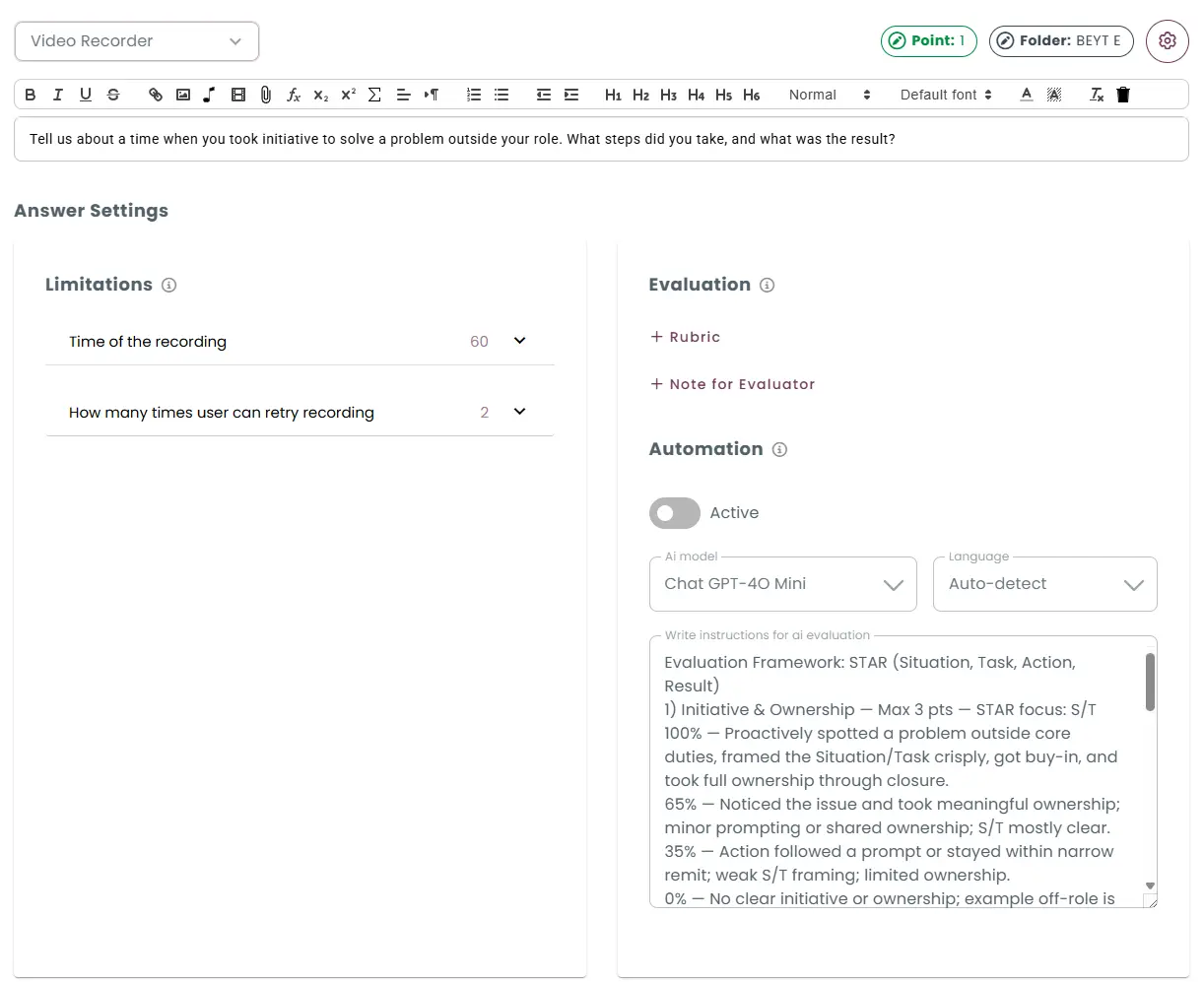
Open-ended responses such as short answers, essays, spoken responses, video interviews, and coding tasks can be graded using AI-based evaluation systems. These systems are powered by large language models (LLMs) and guided by predefined instructions and scoring guidelines.
While creating a question, authors provide evaluation instructions and scoring criteria that guide how the AI should assess responses. The AI then combines the candidate’s response with the question and the provided guidelines to generate a score.
Grading written questions using AI
When creating written-response questions, authors provide instructions and scoring guidelines that define how answers should be evaluated.
The AI evaluates the candidate’s response together with the question and the provided instructions.
Based on the defined instructions and scoring guidelines, the system automatically generates a grade that reflects both the quality of the content and the clarity of the writing.
Grading speaking questions using AI
For speaking questions, the candidate’s audio response is first converted into text using speech recognition.
Once transcribed, the AI analyzes the response together with the question and evaluation instructions, assessing aspects such as accuracy, fluency, lexical choice, and relevance.
Based on this analysis and the provided scoring guidelines, the system automatically generates a grade that reflects both content quality and language performance.
Grading video recording questions using AI
For video questions, the candidate’s recorded response is first transcribed into text using speech recognition.
The AI evaluates both the transcript, analyzing aspects such as pronunciation, fluency, clarity, and overall delivery.
By aligning this analysis with the defined instructions and scoring guidelines, the system automatically generates a grade that reflects both verbal accuracy and communication skills.
Grading coding questions using AI
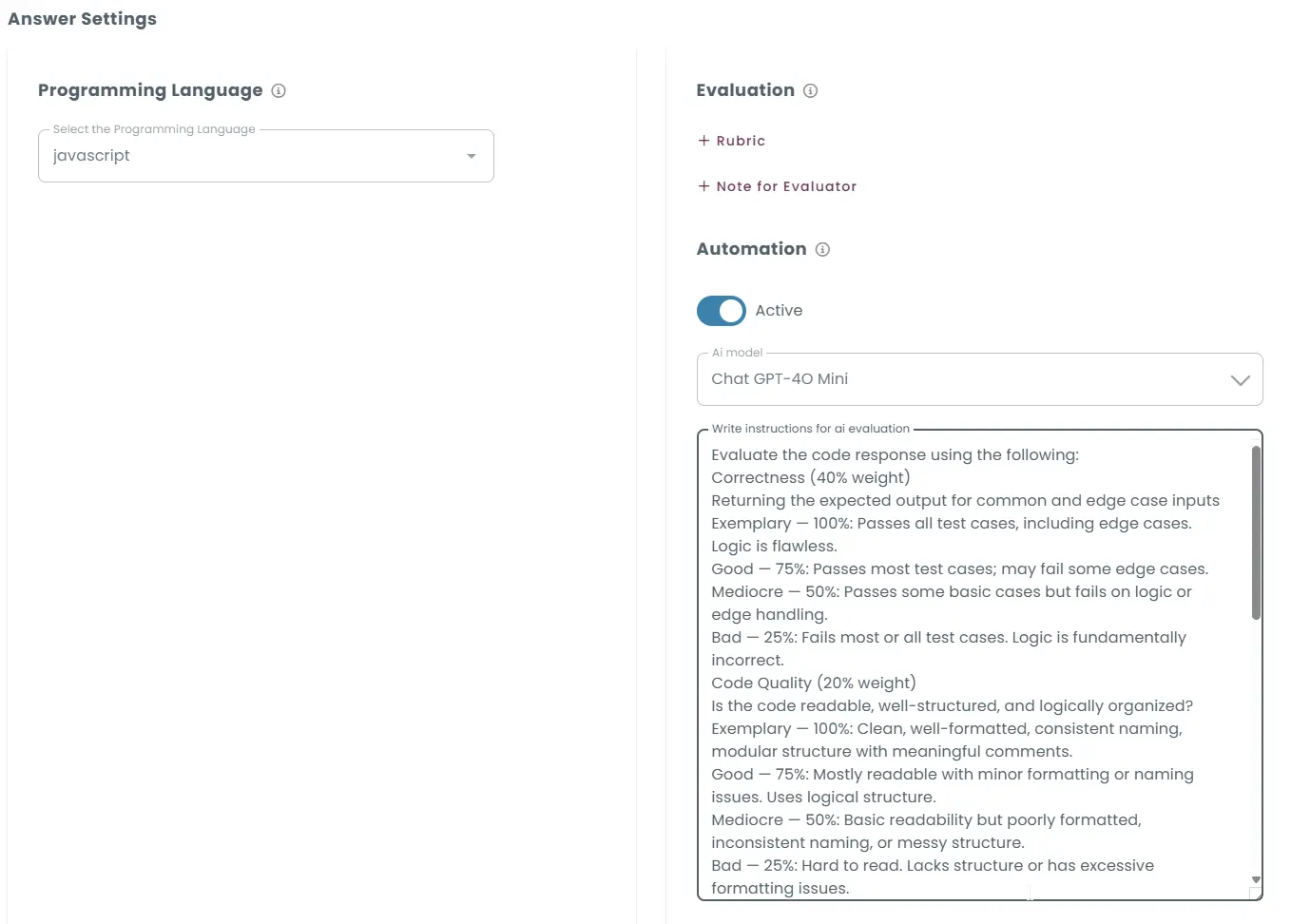
For coding questions, the candidate’s submission is compiled and executed against a set of predefined test cases.
The AI evaluates not only whether the code produces the correct outputs, but also aspects such as efficiency, readability, and adherence to the specified requirements.
By aligning this analysis with the defined scoring guidelines, the system automatically generates a grade that reflects both functional accuracy and overall coding quality.
Rule-based grading
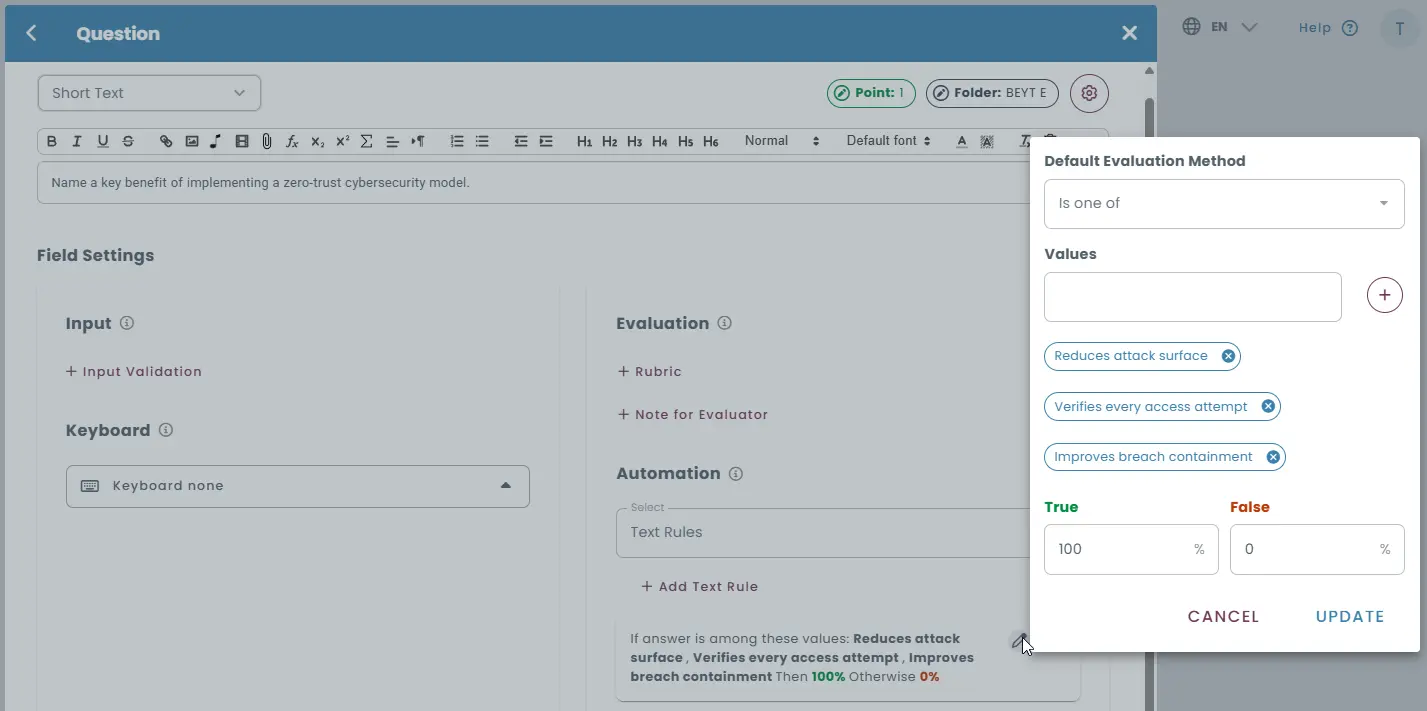
Short-answer and numeric input questions can be graded automatically using rule-based evaluation logic. Responses can be evaluated using predefined text rules such as:
- exact string matching
- regular expressions
- semantic equivalents
Multiple acceptable answers or paraphrased variations can be defined, allowing the system to recognize different ways of expressing the same idea.
Rule-based evaluation helps automate grading for questions where answers may vary in wording but still represent correct concepts or ideas.
Automated feedback based on rules
If a response does not meet the defined answer rules, the system can automatically trigger a customized feedback message to guide the test-taker.
Function-based grading
Responses can be evaluated using custom JavaScript functions, allowing scoring logic to be defined based on any rule you choose. A built-in code editor is provided for writing and managing custom evaluation functions directly within the platform.
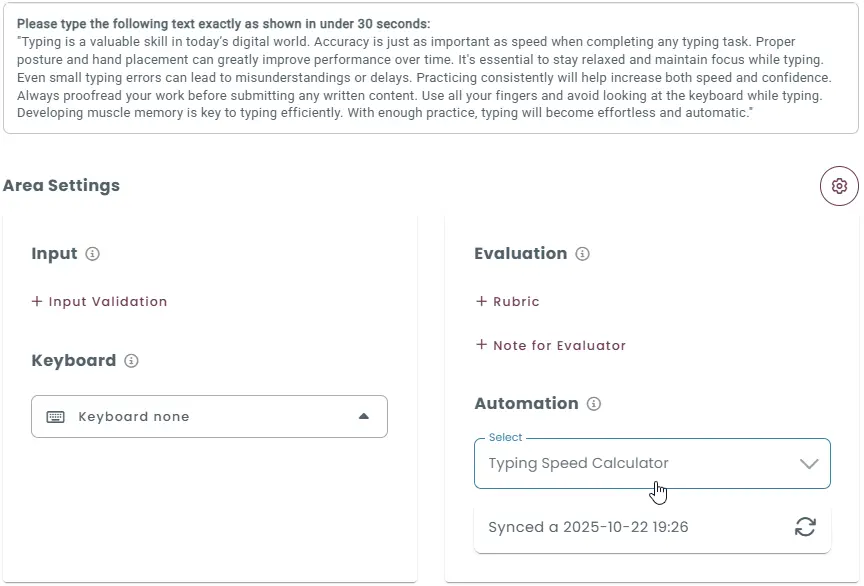
Flexible response evaluation rules
Each function processes the test-taker’s response and returns a score based on the defined logic, supporting full credit, no credit, or negative scoring.
Advanced evaluation logic support
Custom functions allow you to implement advanced scoring rules such as exact matching, partial matching, regex-based checks, punctuation sensitivity, character-level analysis, timing-based adjustments, or penalties for errors.
Multiple evaluators for different scenarios
Different evaluation functions can be created and applied to different question types, difficulty levels, or assessment scenarios.
Rubric-based grading
Open-ended responses, such as essays or written explanations, can be evaluated using structured rubrics that define clear scoring criteria. Rubrics provide clearly defined scoring standards that help ensure consistent evaluation across different responses.
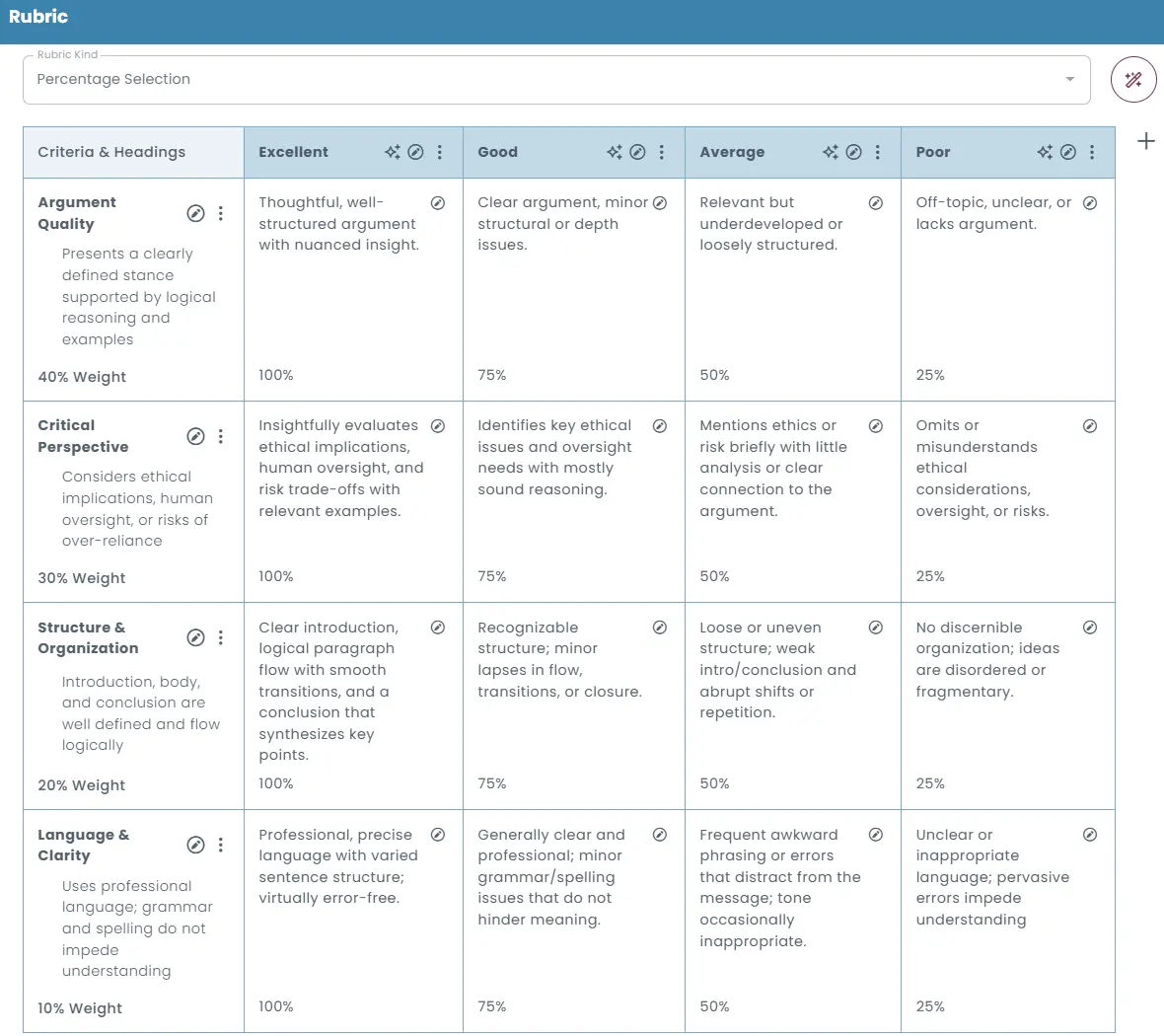
Multiple rubric scoring methods
The rubric editor supports different scoring approaches, including:
- Percentage selection: Assign fixed percentage values to each rubric level (e.g., Exemplary = 100%, Good = 75%).
- Custom percentage ranges: Define custom score intervals for each level (e.g., Good = 70–80%).
- Manual percentage input: Allow evaluators to enter a specific percentage score manually during evaluation.
- Percentage range selection: Let evaluators choose a score from predefined percentage intervals.
Criteria and weights
Each rubric row represents a specific evaluation criterion, such as grammar, structure, content quality, or reasoning.
Each criterion can be assigned a weight to determine how strongly it contributes to the final score.
Structured feedback
The rubric structure also allows evaluators to provide detailed and constructive feedback while scoring responses.
Manual grading
Responses such as essays, written explanations, spoken answers, or video submissions can be reviewed and graded manually by evaluators. Evaluators can provide written feedback or evaluation notes while grading responses, helping test-takers understand their performance.
Multiple evaluators can review responses when needed, helping maintain fairness and reliability in subjective assessments.
Essay Grading
In TestInvite, essay responses can be evaluated using AI, structured rubrics, or manual review, allowing flexible grading based on the required level of control and consistency.
AI-Assisted Essay Grading
AI-assisted essay grading is guided by instructions and scoring guidelines defined by the author when creating the essay question.
The AI evaluates the candidate’s essay together with the question and the provided instructions, analyzing aspects such as grammar accuracy, vocabulary range, logical flow between paragraphs, overall structure, and how effectively the response addresses the question.
By aligning its analysis with the defined instructions and scoring guidelines, the system automatically generates a grade that reflects both the quality of writing and the relevance of the content.
Rubric-based essay grading
Essays can also be evaluated using structured scoring rubrics. Evaluators define criteria such as content quality, argument strength, organization, grammar, or vocabulary, and assign weights to each criterion.
During grading, evaluators select the appropriate performance level for each criterion, and the system calculates the final score automatically based on the defined rubric structure.
Manual Essay Grading
Essays can also be graded manually by evaluators. In the grading interface, evaluators can review each submission, assign scores directly, and provide written feedback or evaluation notes.
This approach is useful when subjective judgment, detailed interpretation, or nuanced feedback is required during the evaluation process.