

Getting started Product Tour Question Bank Question Types Test Editor Grading and Evaluation Lockdown Browser Online Proctoring
Organization management Setting Up Your Organization General Settings Configuring Consent Process Branding Plans & Credits Understanding Subscription Plans Managing Credits Changing Subscription Plans Billing Settings Credit Notifications Users and Collaboration Roles and Permissions Adding New Users & Assigning Roles Importing Users Organizing Users into Teams Advanced Permissions & Access Control User Login Controls Monetization
Question Bank Creating a Question Adding Image Adding Audio Adding Video Adding File Editing Layout Adding Feedback Adding Hint Math Input Importing Questions Question Reporting Scoring Question Types Multiple Choice Questions Matching Questions Text-Based Questions Rich Content Questions Numeric Questions Coding Questions Audio Recording Video Recording Photo Capture File Upload Fill-in-a-Table Questions Organizing Questions Folders and tags Batch update Schema Browsing Questions Exporting Questions Presets Composites
Tests (deprecated) Creating a Test Pages Sections Adding Questions Previewing Test Setting Profile Test Type Test Navigation Time-Limits Auto Numberings Mandatory Question Security Shuffling Deprecated Customize Section Weights Randomization Reporting
Tests Creating a New Test Test Settings Quick Exam Creation Creating Randomized Tests Adding Questions Sections Automatic Question Exclusion Shuffling Pages Time Limit Navigation Control Section Introduction Page Structure Shuffle Questions Time Limit Layout
Organization management Setting Up Your Organization

General Settings

Configure the essential settings that impact your organization's operations.

Updated 2026/02/24

The General Settings section ensure that your platform functions smoothly, aligns with your time zone, and that communication is properly managed.

By configuring general settings, you can:

  • Set your organization's time zone and language for accurate scheduling
    • Define a reply-to email address to manage user interactions effectively
      • Provide essential organization information such as name, size, and country in the Profile section
        • Customize user experience by setting up regional and language preferences

          Organization Profile

          The Profile section contains basic details about your organization. While not mandatory, completing these fields ensures consistency across the platform.
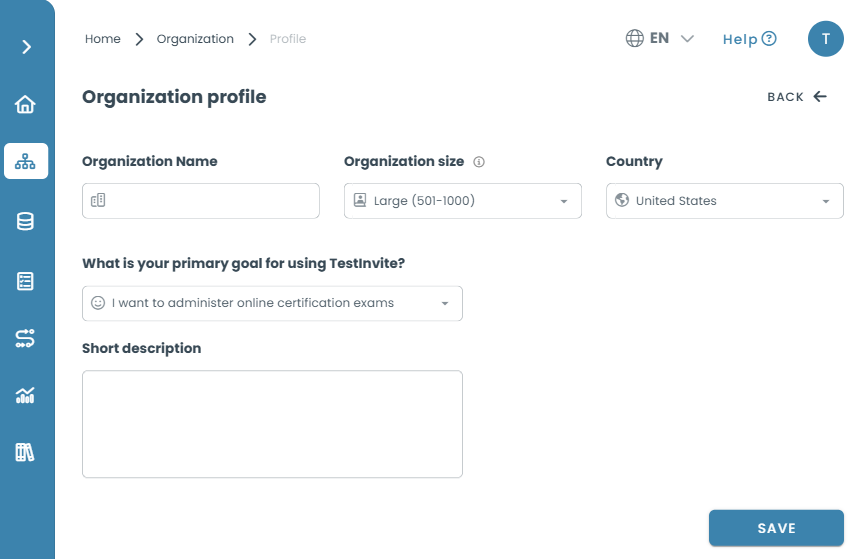
          Basic details about your organization
          Basic details about your organization

          How to Update Your Organization Profile

          Navigate to Organization > Profile in the menu.

          Fill in the following details:

          • Organization Name : The official name of your organization.
            • Organization Size : Select the approximate number of users in your organization. This refers to the total workforce, helping determine the scale of operations.
              • Country : Define the primary operational location for regional settings and localization.
                • Primary Goal : Choose the main reason for using the platform to align with your organizational needs.
                  • Short Description : Provide a brief overview of your organization (minimum 50 characters) to describe its core activities.
                    Although these settings do not impact functionality, they help with internal organization and account clarity.

                    Settings

                    The Settings section includes crucial system preferences that affect both admins and test-takers. Ensuring accuracy in these settings is vital for smooth operations.
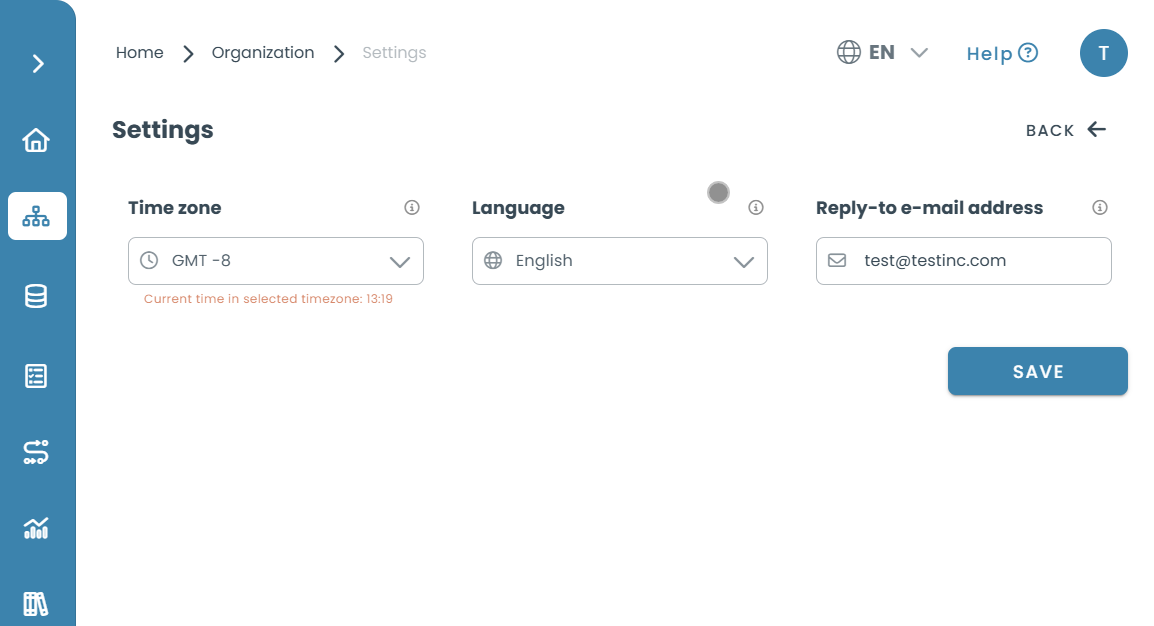
                    The Settings section
                    The Settings section

                    Setting Your Time Zone & Language

                    Configuring your time zone ensures that all test schedules, notifications, and logs match your local time, preventing discrepancies. The default language setting applies to both your organization’s account interface and the experience for test-takers.

                    How to Set Your Time Zone & Language

                    1. Go to Organization > Settings.
                      1. Under the Time Zone section, click the dropdown menu and select the correct time zone. Setting the correct time zone ensures that test scheduling, deadlines, and timestamps are accurately reflected.
                        1. Under the Language section, choose the preferred default language for your organization. This will define the interface language across the platform, including the test-taker experience.
                          1. Click Save to apply changes.
                            Ensuring the correct time zone prevents scheduling conflicts and ensures accurate reporting.

                            Configuring the Reply-to Email Address

                            The reply-to email address determines where responses to system-generated emails are directed. This is crucial for managing communication between your organization and test-takers.

                            How to Set Your Reply-to Email Address

                            1. Navigate to Organization > Settings.
                              1. Locate the Reply-to Email Address field. This is the email address that recipients will use when responding to automated emails sent by your organization.
                                1. Enter the email address where replies should be directed. It is recommended to use a monitored inbox to avoid missing important messages.
                                  1. Click Save to confirm changes.
                                    We recommend using an actively monitored e-mail address to ensure smooth communication with test-takers.
                                    Best Practices & Tips

                                    ✅ Set your time zone accurately to avoid scheduling mismatches and incorrect test times.
                                    ✅ Use a valid reply-to email address to ensure smooth communication with test-takers.
                                    ✅ Choose a default language that aligns with your organization’s needs to maintain a consistent user experience.
                                    ✅ Keep organization details updated to reflect accurate records and maintain clear communication with stakeholders.

                                    Frequently Asked Questions (FAQ)

                                    Incorrect time zones may cause test schedules and notifications to be misaligned. Always double-check your selection.

                                    No, it is recommended to enter a valid email address to ensure proper communication with test-takers.

                                    No, but completing it helps with internal identification and improves account clarity.