

Organization management
Setting Up Your Organization
General Settings
Configuring Consent Process
Branding
Plans & Credits
Understanding Subscription Plans
Managing Credits
Changing Subscription Plans
Billing Settings
Credit Notifications
Users and Collaboration
Roles and Permissions
Adding New Users & Assigning Roles
Importing Users
Organizing Users into Teams
Advanced Permissions & Access Control
User Login Controls
Monetization
Question Bank
Creating a Question
Adding Image
Adding Audio
Adding Video
Adding File
Editing Layout
Adding Feedback
Adding Hint
Math Input
Importing Questions
Question Reporting
Scoring
Question Types
Multiple Choice Questions
Matching Questions
Text-Based Questions
Rich Content Questions
Numeric Questions
Coding Questions
Audio Recording
Video Recording
Photo Capture
File Upload
Fill-in-a-Table Questions
Organizing Questions
Folders and tags
Batch update
Schema
Browsing Questions
Exporting Questions
Presets
Composites
Tests
Sections
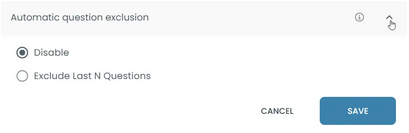
Automatic Question Exclusion
Automatic Question Exclusion removes questions dynamically based on predefined conditions.
Updated 2026/04/16
This feature allows candidates to answer a required number of questions from a larger set.
Instead of answering every question, candidates choose which questions to answer.
Example instruction:
Answer 3 of 5 questions:
- 5 questions are available
- The candidate must answer any 3
- 2 questions can be skipped
Why this feature exists
- Ensuring fairness among candidates: Candidates can choose questions based on their level.
- Allowing topic choice: Candidates answer questions they are more comfortable with.
- Providing alternative questions for the same skill: Different questions measure the same ability in different ways.
Example:
A section includes 10 questions. Candidates must answer 4.
They choose which questions to answer.
Important:
Candidates must answer at least N questions