
Online Proctoring
Protect exam integrity with flexible online proctoring options.
Online proctoring software allows exam administrators to monitor candidates in corporate and educational environments during remote exams. It tracks behavior and on-screen activity through webcam, audio, and screen monitoring.
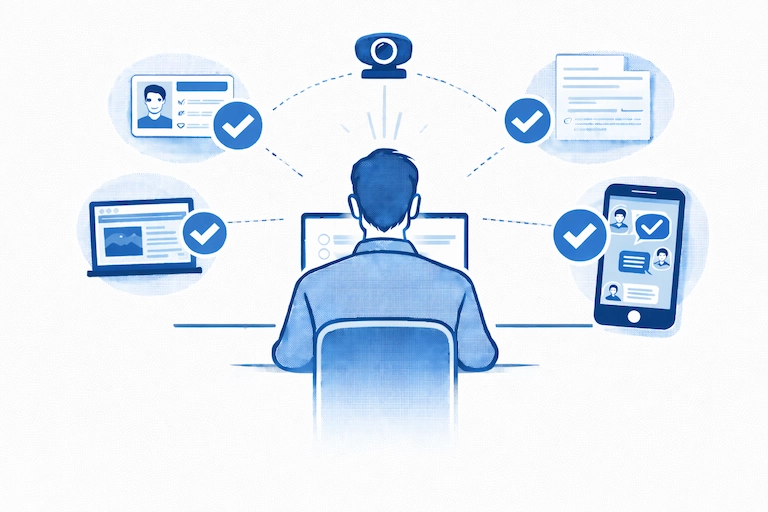
Online proctoring can run live or be reviewed afterward, and it may be handled by a human proctor, AI, or a combination of both.
Real-Time Live Proctoring
Live proctoring, also known as real-time proctoring, is a type of online exam monitoring where a human proctor monitors test-takers in real time using their webcam, microphone, and screen activity. It closely replicates the experience of being in a physical exam room.
Proctor and the candidate can communicate through a chat box to remind the candidate of rules, warn them about suspicious activity, or help with a technical issue. If the proctor notices unusual behavior like looking away frequently, speaking to someone off-camera, or attempting to open unauthorized tabs or applications, they can issue a warning or immediately terminate the exam.
Recorded Proctoring with Post-Exam Review
Recorded proctoring, also known as post-proctoring, is a type of online exam monitoring where the test session is recorded and reviewed later, instead of being watched live. During the exam, the system records your webcam video, microphone audio, and screen activity. After the test, a human proctor reviews the recording to look for any signs of cheating or rule violations.
AI-Powered Automated Proctoring
Automated proctoring, also known as AI proctoring, is a type of online exam monitoring that uses AI technology instead of a live human proctor to watch over the test. It works by using your webcam and microphone to automatically detect suspicious behavior, such as looking away from the screen too often, hearing other voices in the room, or detecting other faces in the camera. AI system records and analyzes these activities in real time, then flags unusual behavior for review by an instructor.
Suspicious events are displayed on a chronological timeline with severity indicators, allowing proctors to quickly understand what occurred and when. Recorded webcam video and screen activity are shown side-by-side for efficient review.
How AI proctoring classifies alerts
TestInvite’s AI proctoring system categorizes detected behaviors into alert levels to distinguish clear rule violations from potentially suspicious actions.
- Red Flags (Cheating):
Definite violations such as another person appearing on camera and face absence.
- Orange Flags (Suspicious):
Potentially concerning behaviors like excessive head movement.
Hybrid Proctoring with AI and Human Oversight
While AI automatically flags suspicious events, it does not make disciplinary decisions. Instead, exam administrators review the alerts, with AI acting as an assistant that surfaces high-risk cases rather than replacing human judgment.
Webcam monitoring
Webcam monitoring refers to observing the test-taker through their camera during the exam. The system analyzes the video feed or periodic image captures to monitor the candidate’s presence, behavior, and surroundings.
What can you detect:
- Whether the candidate’s face is visible
- Additional people entering the frame
- Head pose, gaze direction, and excessive movements
- Camera obstruction, blackout, or manipulation
- Lighting or angle issues that may hide the candidate
Screen monitoring
Screen monitoring tracks what happens on the candidate’s device during the exam. This may include video recording or periodic screenshots.
What can you detect:
- Opening unauthorized applications, tabs, or websites
- Attempts to copy, paste, screenshot, or use shortcuts
- Use of screen mirroring
- Switching away from the exam window
Audio monitoring
Audio monitoring analyzes the sound captured by the candidate’s microphone to assess the exam environment.
What can you detect:
- Additional voices or background conversations
- Verbal assistance being provided to the candidate
- Environmental noises or suspicious audio cues
- Attempts to communicate verbally during the exam
Lockdown Browser Environment
TestInvite’s built-in lockdown browser prevents candidates from opening new tabs, accessing external websites or applications, switching screens, or using copy–paste and printing functions. Full-screen enforcement and controlled navigation help maintain exam integrity without requiring additional software installation.
Questions for this stop
Yes, proctored exams can detect 2 monitors. A human proctor or AI system can notice if your eyes or head repeatedly turn toward another screen. This makes it difficult to use an additional monitor without being noticed.
Proctored exams can detect phone use, but how they do it depends on the type of proctoring. Live proctors can see you through your webcam and may notice if you’re using a phone. AI proctoring systems can detect phones by analyzing visual cues, sounds, or reflections that indicate a phone is being used.
Yes, screen mirroring can be detected in a proctored exam. A human proctor can notice screen mirroring activity, and AI proctoring systems that monitor screen activity can also detect suspicious displays or connections.
Yes, online proctoring is legal in most countries, but it must follow privacy and data protection laws.
Proctoring systems are allowed to monitor students during exams, but they must:
- Get your consent before recording video, audio, or screen activity.
- Clearly explain what data is collected, how it’s stored, and who can access it.
- Comply with local laws like GDPR in Europe or FERPA in the U.S.
- Choose webcam recording mode: Decide whether the webcam should record video, capture photos, or use a combination of both.
- Configure AI checks: If you want AI assistance, enable or disable specific checks such as:
Person-count detection
Face position
Identity photo matching
- Set up screen monitoring: Choose whether the screen should be monitored via screen recording or screen captures.
- Add a lockdown browser (optional). Enable the lockdown browser if the exam requires stricter control over the candidate’s device.
- Monitor candidates live or later: During the exam, you can watch sessions live and, if needed, stop the exam or reach out to the candidate.
- Review flagged or full sessions after the exam: Once the exam is finished, you can review only the AI-flagged moments or watch the entire recording, depending on what you need.