
- What is TestInvite?
- Build Your First Test
- Run Your First Assessment
- Taking the Assessment
- Viewing the Results
- Question Bank Overview
- Common Question Features
- Scoring
- Question Types
- Question Authoring
- Browsing Questions
- Content Blocks
- Media Library
- Metadata Rules & Schema
- Tests Overview
- My Tests
- Creating a Test
- The Test Editor
- Test Settings
- Sections & Pages
- Adding Questions
- Page Builders
- Test Profile
- Reporting
- Test Papers
- Analytics
- Publishing a Test
- Test Library
- Marketplace
- Tasks Overview
- Creating a Task
- Task Dashboard
- Steps
- Task Settings
- Candidates
- Test Sessions
- Sent Mails
- Proctoring
- Analytics
- Analytics Overview
- Test Analytics
- Question Analytics
- Per-Question Analytics
- Results Explorer
- Segment Analysis
Layout
How to control the visual arrangement of a question: Regular mode places the prompt above (Stacked) or beside (Side by side) the answer input; Sidebar mode adds a dedicated panel on the left or right for reference material such as reading passages, images, or data tables.
Configuring the Layout
In the question editor, click the settings icon in the upper-right corner and open the Layout tab. Select Regular or Sidebar, then choose the arrangement you want:
- Regular: Stacked or Side by Side
- Sidebar: Sidebar on Left or Sidebar on Right
When you select Sidebar, use the Sidebar Content editor to add the reference material that will appear beside the question. Click Save to apply the layout.
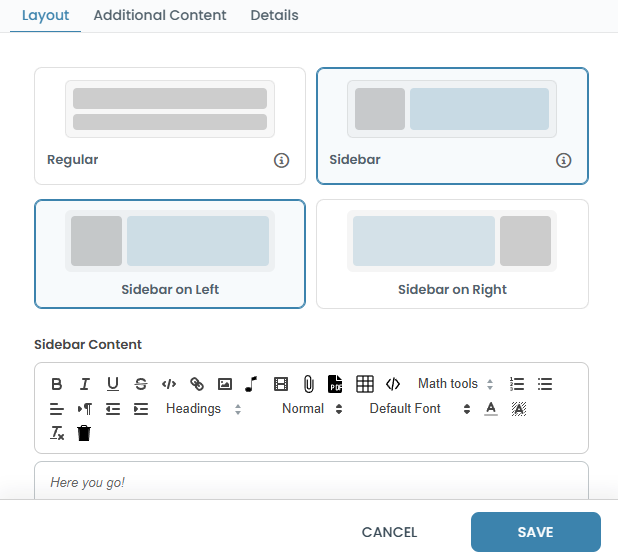
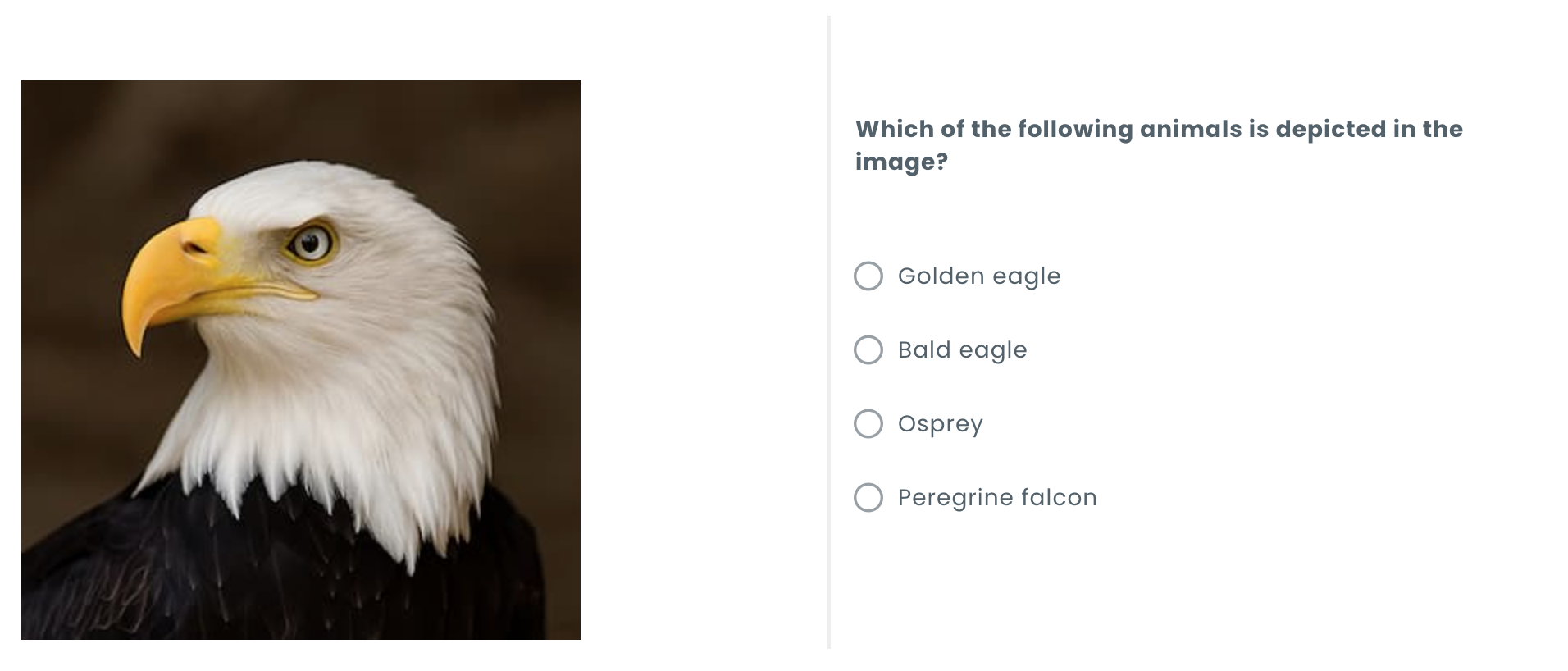
In Sidebar mode, a rich content editor appears where you write the sidebar content — a reading passage, image, data table, diagram, or any rich content. Sidebar layout suits questions where candidates need to refer to source material while answering, such as a reading comprehension question, a data interpretation question, or a code review exercise.
Stacked is the default layout, with no sidebar panel: the question prompt appears above the answer input, in a single column. It's the right choice for most questions — reach for one of the other layouts only when the prompt is short enough to sit beside the input, or when candidates need reference material alongside the question.
Side by Side arranges the question prompt and the answer input as two columns instead of stacking them — the prompt on the left, the input on the right. It works best for short prompts, where stacking them would leave a lot of unused horizontal space, especially on wide screens.