

Question Numbering
Control how questions are numbered across the test. Choose continuous numbering or restart per section, and decide if non-scored questions are included.
Control how questions are numbered and displayed across your test.
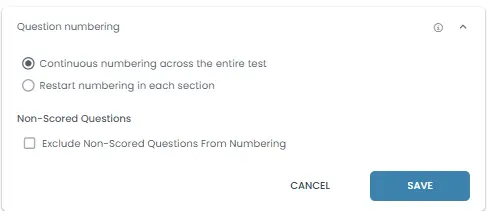
Question Numbering
Defines how questions are numbered across the test and how non-scored questions are treated.
1. Continuous numbering across the entire test
Questions are numbered sequentially from start to finish.
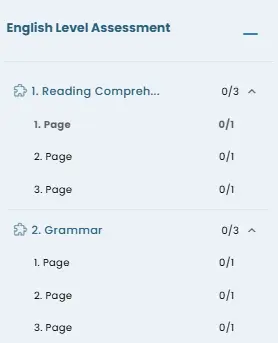
Example: Section 1 → Q1, Q2, Q3 / Section 2 → Q4, Q5
Result: Numbering continues across all sections.
2. Restart numbering in each section
Each section starts its own numbering from 1.
Example: Section 1 → Q1, Q2 / Section 2 → Q1, Q2
Result: Question numbers reset in every section.
3. Exclude Non-Scored Questions From Numbering
Non-scored questions are not included in the numbering sequence.
Example: If a non-scored question exists between Q2 and Q3 → it is not counted.
Result: Only scored questions are numbered.