

Navigation
Navigation defines how candidates move between sections and pages during the test.
Use these settings to control candidate navigation across sections and pages, ensuring a structured and controlled test experience.
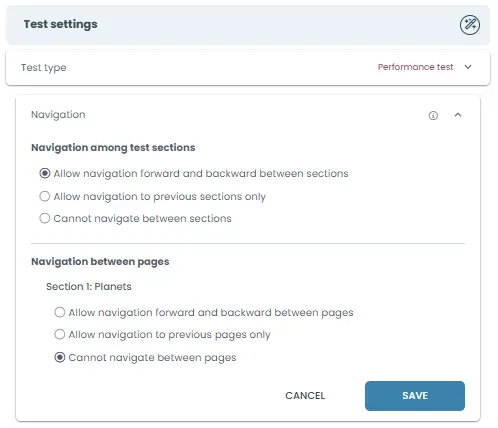
Navigation among test sections
Controls how candidates move between different sections of the test (e.g., Planets, Math, etc.).
Allow navigation forward and backward between sections
Candidates can freely move between all sections at any time.
Allow navigation to previous sections only
Candidates can go back to earlier sections but cannot move forward to future sections.
Cannot navigate between sections
Candidates must complete sections in order and cannot switch between them.
Navigation between pages
Controls how candidates move between pages within a section.
Allow navigation forward and backward between pages
Candidates can move freely between pages within the section.
Allow navigation to previous pages only
Candidates can go back to earlier pages but cannot move forward again once they proceed.
Cannot navigate between pages
Candidates cannot move between pages; they proceed step-by-step without returning.