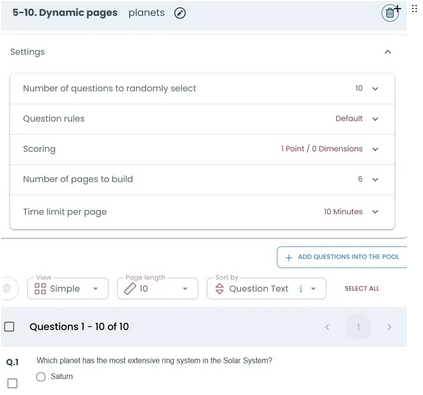
Dynamic Page Builder
The Dynamic Page Builder automatically creates pages by selecting questions from a question pool and distributing them across generated pages.
Instead of manually creating pages and placing questions inside them, the system builds the pages automatically when the test runs.
What it does
Builds pages dynamically using questions from a pool.
Example:
10 questions in pool → select 5 → build 3 pages
Result:
- 5 questions are selected and distributed across 3 pages.
- Each candidate sees 5 questions, arranged differently.
Why to use it
- Reduces cheating by showing different questions and page structures
- Ensures fairness by selecting questions from the same pool
- Saves time by eliminating manual page creation
- Creates flexible and dynamic test structures
How it works
You define:
- how many questions to select
- how many pages to generate
The system then:
- selects questions randomly
- distributes them across pages
Difference from Random Page Picker
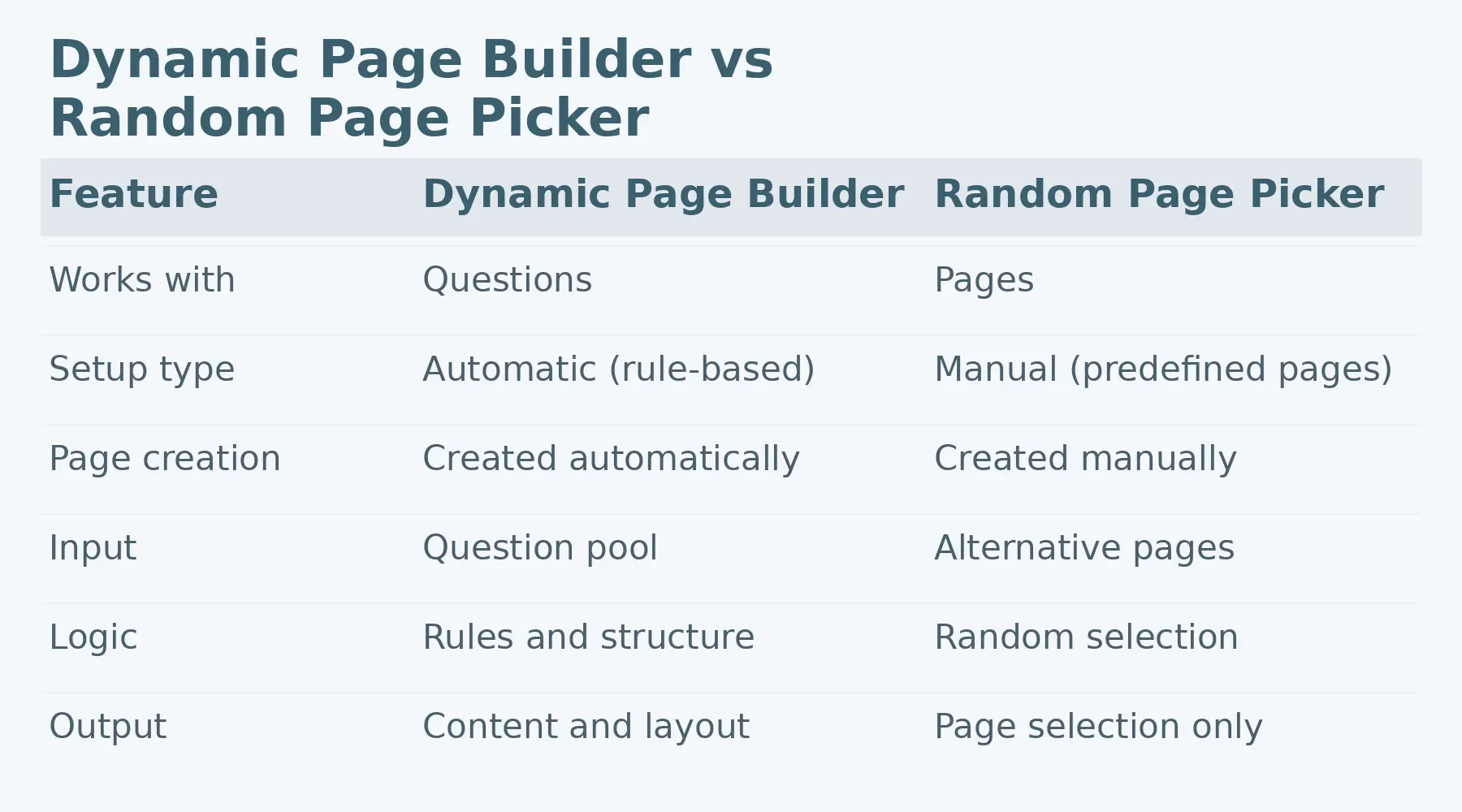
How to Set Up Dynamic Page Builder in 4 Steps
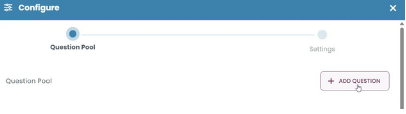
STEP 1: Add questions to the pool
- Click Add Question and select the questions to include.
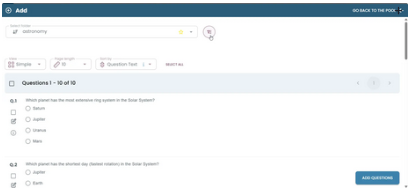
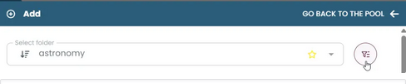
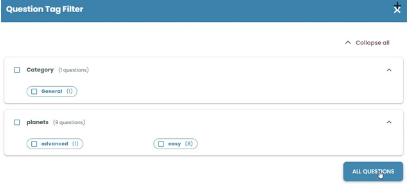
STEP 2: Filter questions (optional)
Use filters like tags, categories, or folders.
Result:
Only relevant questions remain in the pool.
STEP 3: Define selection and pages
Set how many questions will be selected and how many pages will be created.
Result:
Questions are randomly selected and distributed across pages.
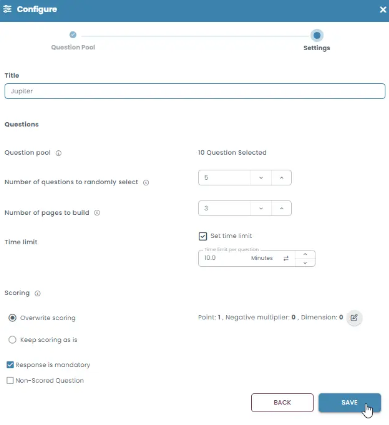
Dynamic Page Builder – Settings
1. Title
Name the dynamic page setup.
2. Question pool
Displays the total number of questions selected.
3. Number of questions to randomly select
Defines how many questions will be picked from the pool.
4. Number of pages to build
Defines how many pages will be generated.
5. Time limit
Set a time limit for this dynamic section.
Can be enabled per question.
6. Scoring
Control how scoring is applied.
Options include overwriting scoring or keeping existing settings.
7. Response is mandatory
Requires candidates to answer each question.
8. Non-scored question
Marks questions as excluded from scoring.
STEP 4: Review and update settings
After defining all settings, click Continue to return to the initial page.
Result:
You can see all applied settings at the top and make changes if needed.