
How to create a vocabulary test
Lesson objective
Learn how to create a vocabulary test that accurately measures word knowledge using the right question types, formats, and scoring methods.
You can create a vocabulary test by structuring the test, selecting appropriate question types, defining evaluation methods, and ensuring consistent and fair scoring.
What is a vocabulary test?
A vocabulary test is an assessment designed to measure how well a person understands and uses words in a language. It focuses specifically on word knowledge rather than grammar, listening, or speaking skills.
A vocabulary test evaluates a candidate’s ability to:
- recognize word meanings
- understand words in context
- use words correctly and naturally
- demonstrate vocabulary range and depth
Depending on how it is designed, a vocabulary test can measure receptive vocabulary (what someone understands) and productive vocabulary (what someone can actively use).
Step 1: Structure the test
Before creating questions, define the overall structure of your vocabulary test. With TestInvite’s exam maker, you can design your vocabulary test as a single section, multiple sections, or multiple pages within sections, depending on difficulty level or skill focus, such as basic word knowledge and vocabulary in context.
Step 2: Decide what vocabulary skills to measure
Decide which aspects of vocabulary knowledge you want to assess. Vocabulary is not limited to knowing definitions; it also includes understanding how words function in real language use.
- Word meaning and recognition: Focuses on whether test-takers can recognize and understand the meaning of words. This is commonly measured through synonym or definition-based questions, as well as matching words with their meanings.
- Vocabulary in context: Measures how well candidates understand words when they appear in sentences. Sentence-based multiple-choice questions and gap-fill items with contextual clues are effective for assessing whether a word is understood beyond memorization.
- Collocations and phrasal usage: Evaluate how naturally words are used together. These questions typically focus on common verb–noun or adjective–noun combinations and help distinguish natural usage from unnatural or incorrect word pairings.
- Productive vocabulary: Assesses the ability to actively use vocabulary rather than recognize it. This can include short written responses or sentence creation tasks and is usually reserved for more advanced or high-stakes assessments.
Step 3: Choose the right question types
With TestInvite, you can create a wide range of question types to accurately measure vocabulary knowledge. Different formats assess different aspects of vocabulary and help keep the test balanced.
Multiple-choice questions
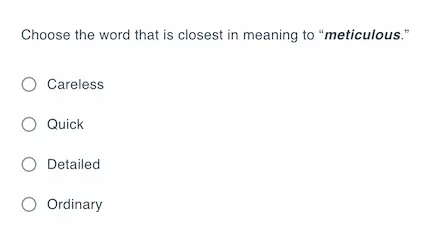
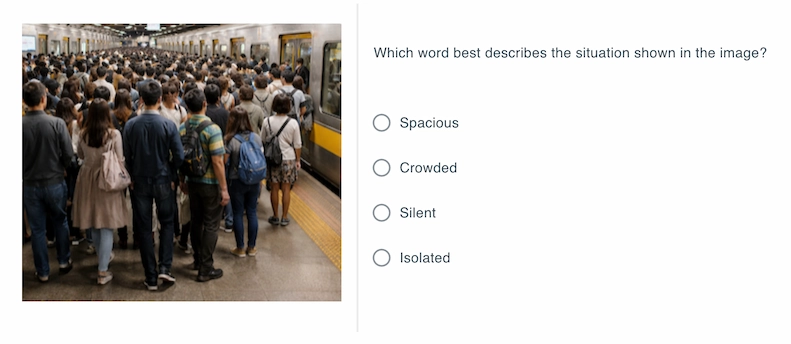
With TestInvite, you can create multiple-choice vocabulary questions to assess word meaning, synonyms, and usage in context. You can also enrich the question with images, audio, or video.
Answer display options
- Flex layout: Display options horizontally or vertically, and adjust spacing, alignment, and margins.
- Grid layout: Organize choices in a structured grid for better readability.
- Choice shuffling: Randomize the order of answer options to reduce memorization and pattern recognition.
Scoring and selection controls
- Selection limits: Define minimum and maximum numbers of options candidates can select.
- Weighted scoring: Assign different point values to each option, including penalties for incorrect selections.
Fast question creation
- Quick copy–paste: Add multiple choice questions and answer options together without opening the full editor.
- Bulk import: Upload multiple questions at once to quickly build or expand your question bank.
These controls allow you to design multiple-choice vocabulary questions that go beyond simple right-or-wrong scoring.
Matching questions
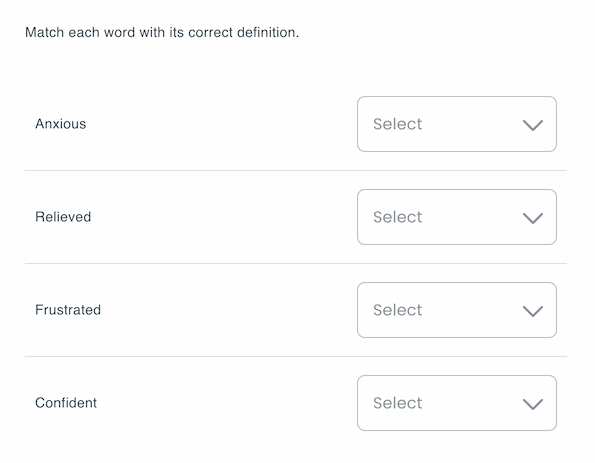
You can create matching questions where candidates pair words with definitions or images. You can use images to reduce reading load and make the test more interactive.
Scoring and selection control
- Selection limits: Set the minimum and maximum number of options candidates can choose.
- Weighted points: Assign different point values to each answer.
- Thresholds: Define minimum score requirements.
Fast question creation
- Quick copy-paste: Add matching questions by copying and pasting both the prompt and answer options all at once, without opening the full editor.
- Bulk import: Upload multiple matching questions directly into your question bank to save time during test preparation.
Fill-in-the-blank questions
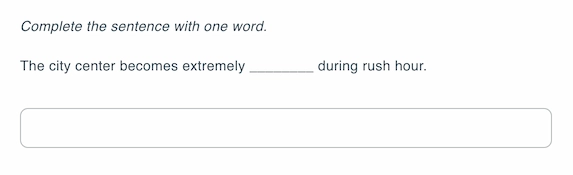
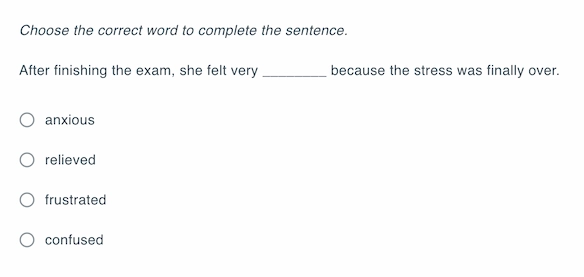
You can create fill-in-the-blank questions where candidates answer by typing the correct word or by selecting the correct option from a predefined list. Question prompts can be enriched with text formatting, such as bold and italics, to highlight key parts of the sentence.
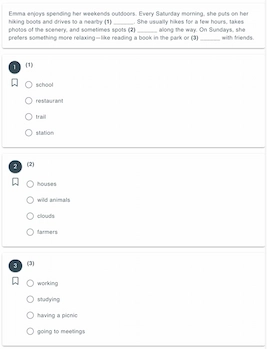
To create fill-in-the-blank questions with multiple blanks, you can use the matching format. All blanks are listed together, and candidates select answers from a shared pool of options.
Short-answer questions
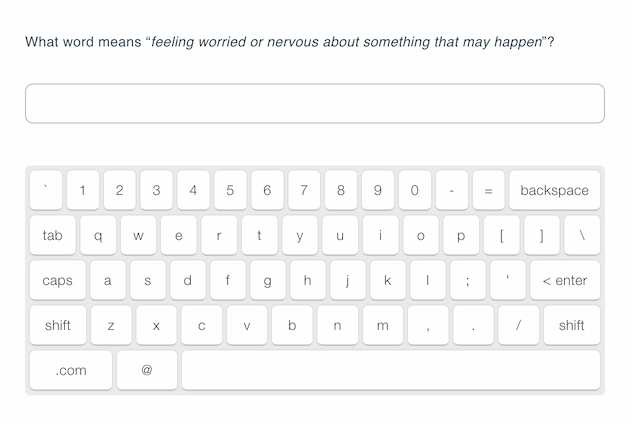
You can create short-answer questions that require candidates to produce a word or short phrase themselves. You can also enrich the questions with images and other media options.
If needed, you can add an onscreen keyboard.
In TestInvite, the on-screen keyboard supports multiple languages, including:
- English
- French
- Arabic
- Russian
- Italian
- German
- Hebrew
- Spanish
Step 4: Define the evaluation method
You can choose different evaluation methods depending on the question type, test purpose, and level of depth you need.
- Automatic evaluation: Automatic evaluation is used for multiple-choice and matching questions. Answers are scored instantly based on predefined correct options.
- Text-based rules: For text-entry questions, you can define text rules to control how answers are evaluated. You can apply rules such as:
- Equal: The answer must exactly match the target word.
- Is one of: Accept multiple correct vocabulary variants or synonyms as valid answers.
- AI-powered evaluation: AI-powered evaluation can be used for text entry questions. Unlike rule-based evaluation, AI allows you to define flexible scoring logic. For example, you can instruct the system to:
Accept minor spelling or typing errors as correct
Deduct partial points for typos instead of marking answers fully incorrect
Step 5: Add security measures
You can apply question and option randomization so each candidate sees questions and answer choices in a different order.
You can also enable the browser-based lockdown to prevent candidates from opening new tabs, accessing external websites, or switching applications during the test. You can also disable copy-paste, right-click, and text selection.
You can also enable online proctoring. Proctoring allows you to monitor candidate behavior and environment during the test, adding the highest layer of security.
Measuring vocabulary with open-ended responses using AI
Vocabulary does not have to be measured only through single-word answers such as definitions, opposites, or synonyms. With modern assessment tools, you can evaluate vocabulary in a more natural and expressive way by using open-ended questions.
Instead of asking candidates to provide isolated words, you can present an open-ended prompt. For example, asking them to share their opinion on a topic or describe a situation in their own words. Candidates respond freely in written form, allowing them to demonstrate vocabulary richness, word variety, and contextual usage.
AI-assisted evaluation makes this approach scalable and practical. The system can analyze the written response to assess vocabulary range, appropriateness of word choice, repetition, and overall lexical richness. This provides a deeper and more realistic measurement of vocabulary ability than rule-based or single-word scoring methods, especially for advanced levels.
Benefits of vocabulary quizzes
- Measure both vocabulary breadth and depth, not just word memorization
- Distinguish between recognition (knowing a word) and production (using a word correctly)
- Assess vocabulary in context, rather than isolated definitions
- Reduce guessing by combining objective (MCQ, matching) and constructive (fill-in, short answer) formats