
How to create a matching test
Lesson objective
Learn how to create matching tests with structured scripts, manual editors, flexible scoring rules, and multimedia or math content.
Design interactive and flexible matching tests that evaluate classification, association, and analytical skills, all within a secure, scalable platform.
With TestInvite, you can create your own matching test that fits your goals: whether you need fast setup, multimedia integration, randomized delivery, or advanced scoring logic. From simple pairings to complex classification tasks, our platform gives you control without the complexity.
Key takeaways
- Build matching tests quickly using scripts or manual editors.
- Use public, private, or mixed option pools for flexible pairing logic.
- Add images, audio, video, math, and reading passages for richer tasks.
- Apply partial scoring, penalties, and thresholds for accurate evaluation.
- Protect exams with webcam monitoring, screen recording, and lockdown browser.
What is a matching test?
A matching test presents candidates with two related sets, such as terms and definitions, items and categories, or images and labels, and asks them to pair each item with its correct counterpart. This format is ideal for assessing logical reasoning, association skills, and detailed knowledge in areas like language learning, science, geography, and compliance training.
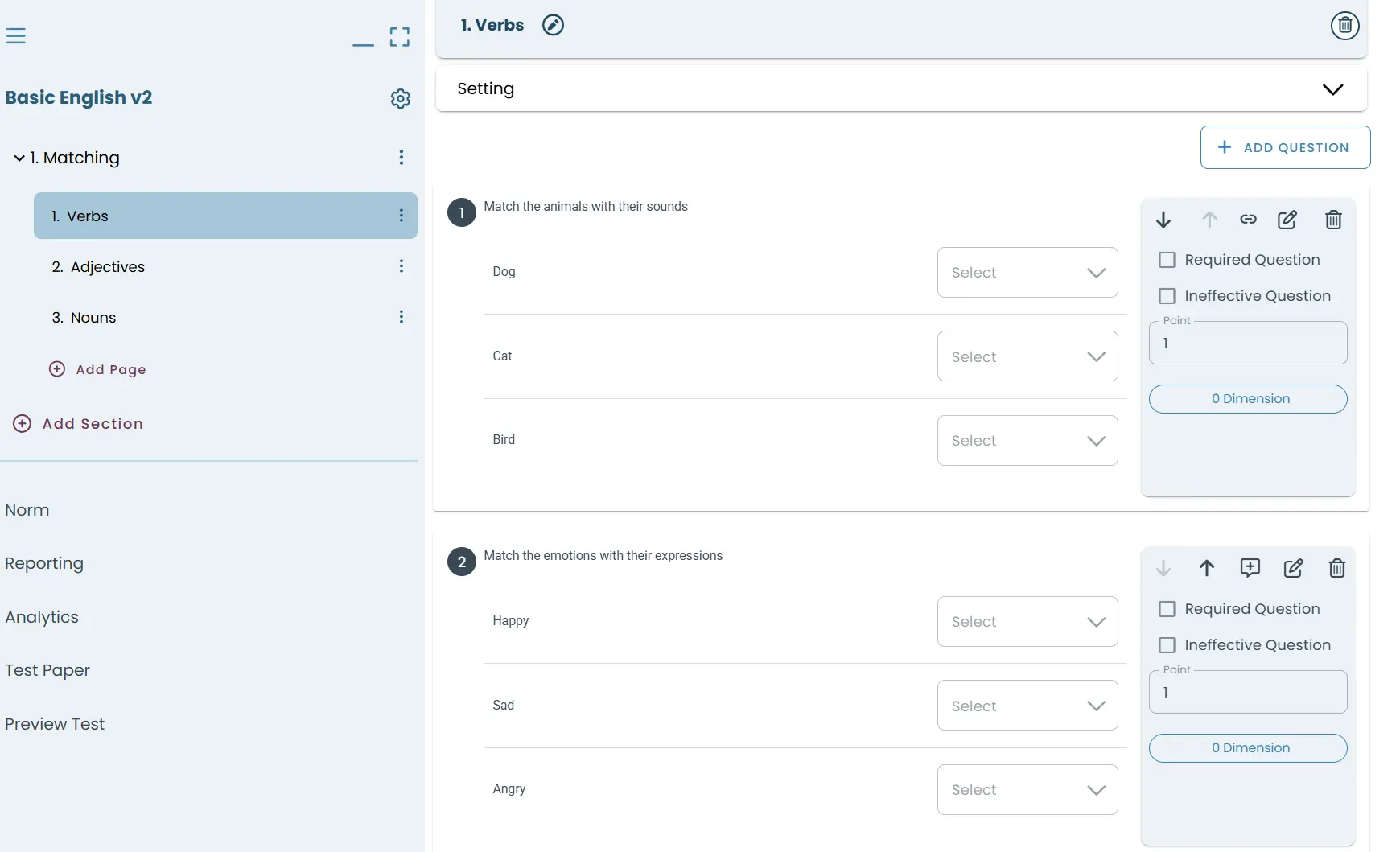
Create dynamic matching exams
Creating a matching exam doesn’t require a long checklist as TestInvite simplifies the process.
Start with a test structure
Head to the Tests module to create a new test. Give it a name and, if needed, a description. Sections and pages help organize your content. The first ones are auto-generated to get you started right away.
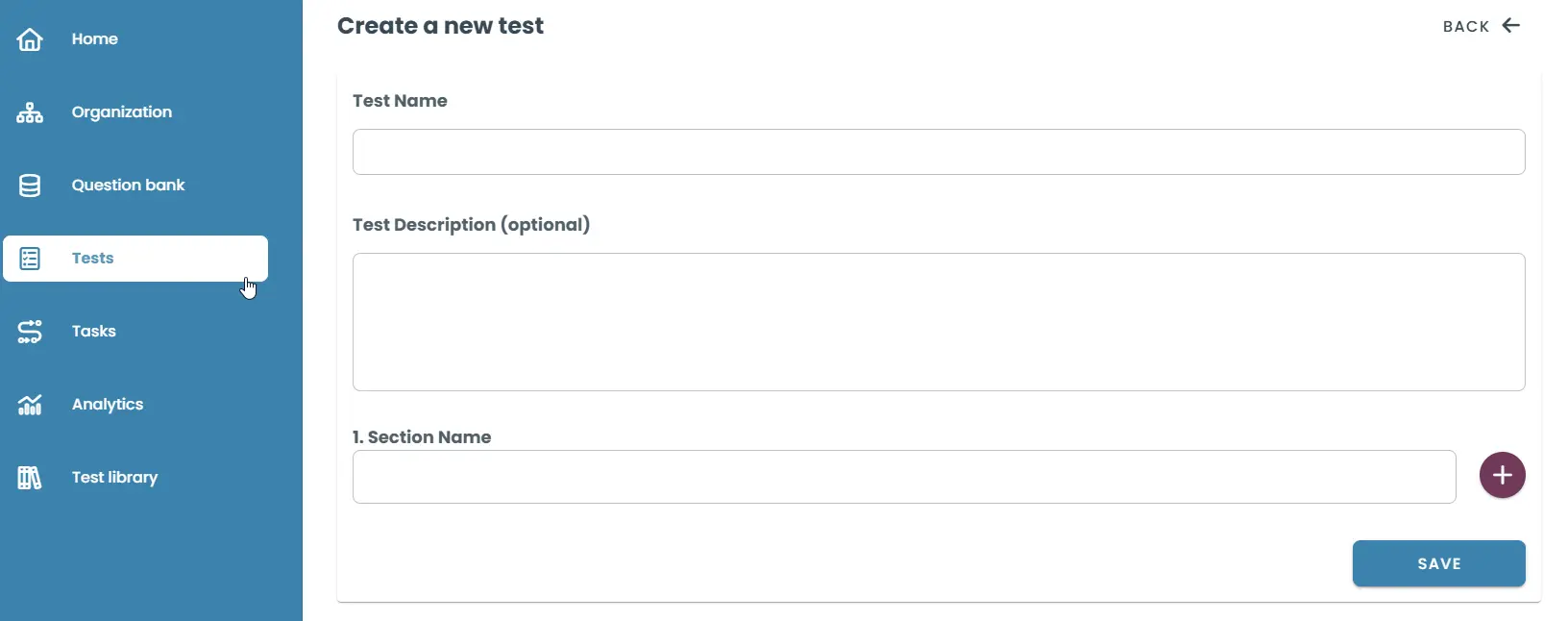
Set up and refine your test
TestInvite gives you advanced, yet intuitive control over how your matching tests behave. With just a few clicks, you can configure key settings to match your assessment style and security needs.
Choose the Test Type to define how your test behaves, whether you want it focused on right/wrong scoring, personality inventories, or subjective interviews.
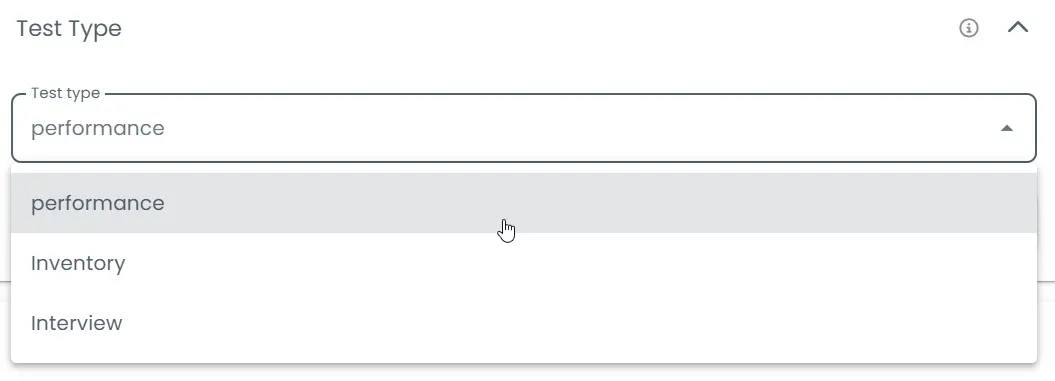
Adjust Navigation Control to decide if participants can freely move through sections, move backward only, or follow a strict sequential order without skipping ahead.
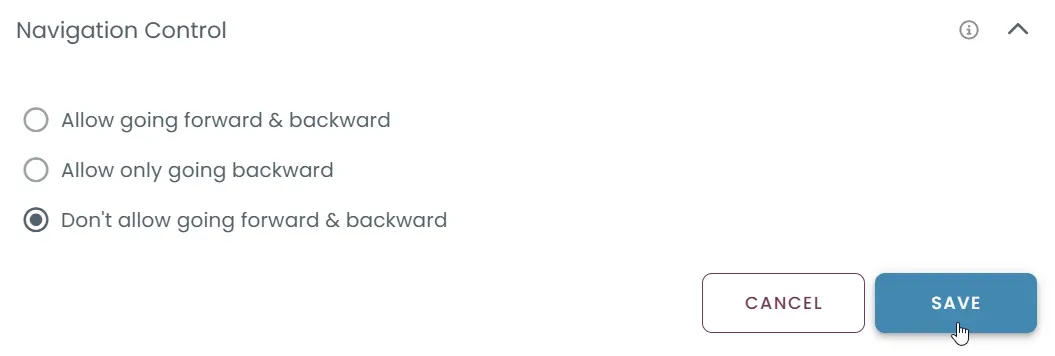
You can also set precise Time Limits at the test or section level, defining exactly how long participants have to complete their tasks, or choose to have no limit at all.
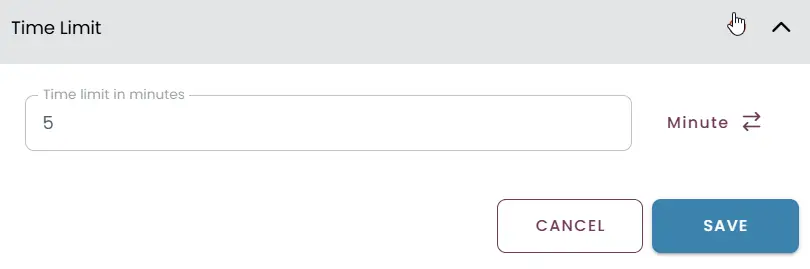
With these settings at your fingertips, you can tailor the experience for high-stakes exams, practice tests, or skill assessments while ensuring fairness, clarity, and control across devices.
Craft matching questions your way
TestInvite provides multiple ways to create matching questions:
- Quick creation with structured scripts: Use the Quick Question Creation tool to paste or type structured item-option lists. The platform automatically generates the matching pairs, saving time for bulk creation or standardized tests.
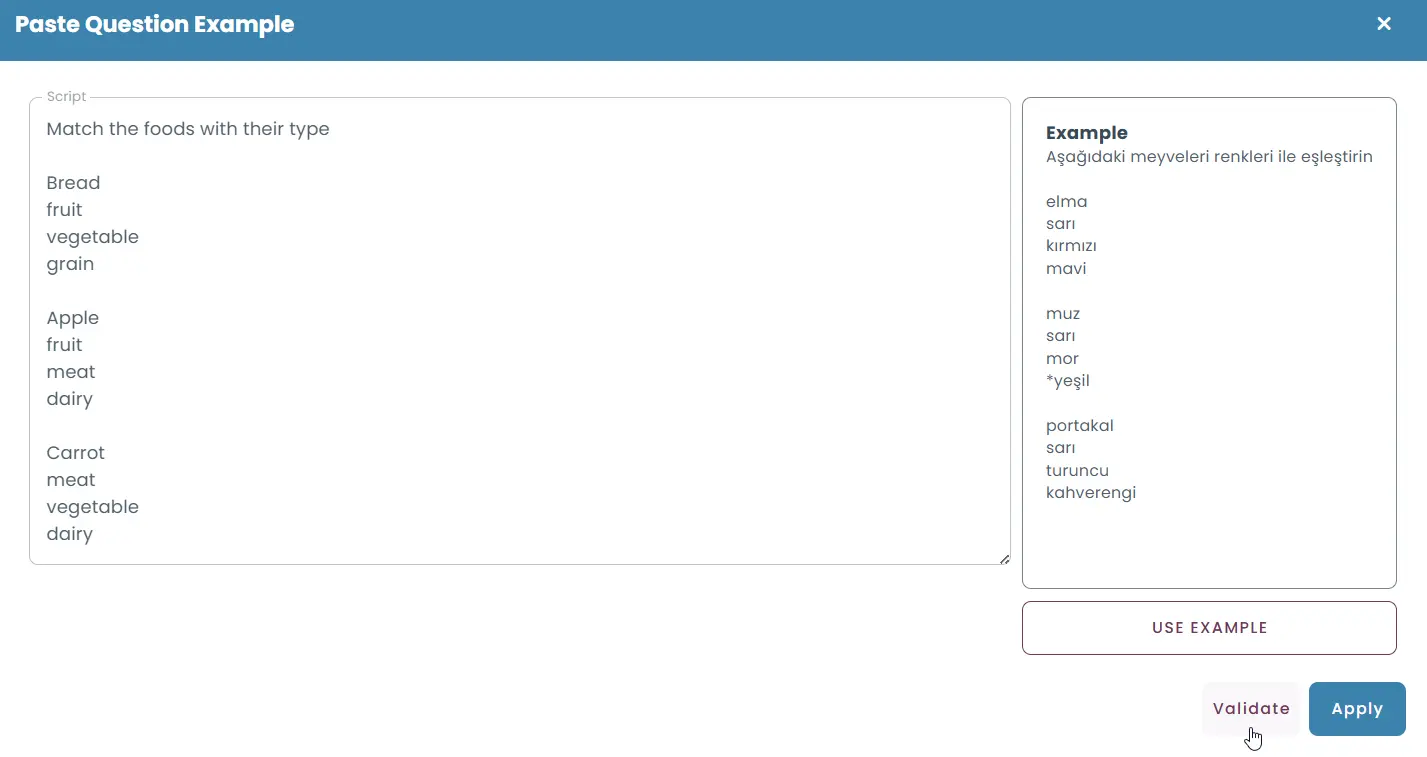
- Step-by-step editor: Manually build each part of your matching question, defining the main prompt, adding items, and specifying matching options with precise control over content, layout, scoring and behavior.

Flexible option and item configuration
Matching questions can be designed with:
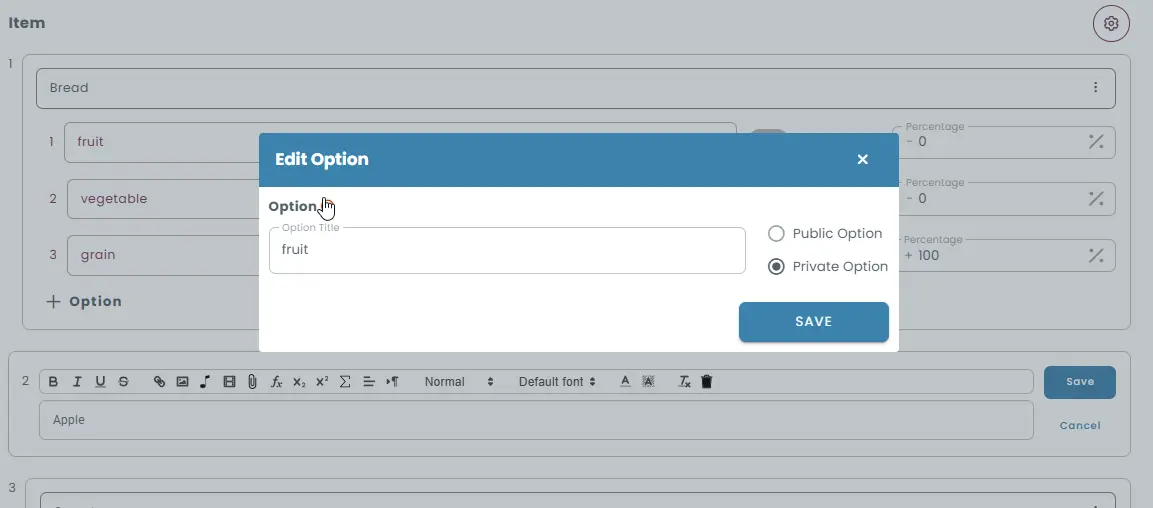
- Public options: Shared choices that can be matched to multiple items. You can limit how many times each option can be used.
- Private options: Item-specific choices that apply only to a particular item, offering tighter control over pairing possibilities.
- Mixed pools: Combine both public and private options for greater complexity and realism.
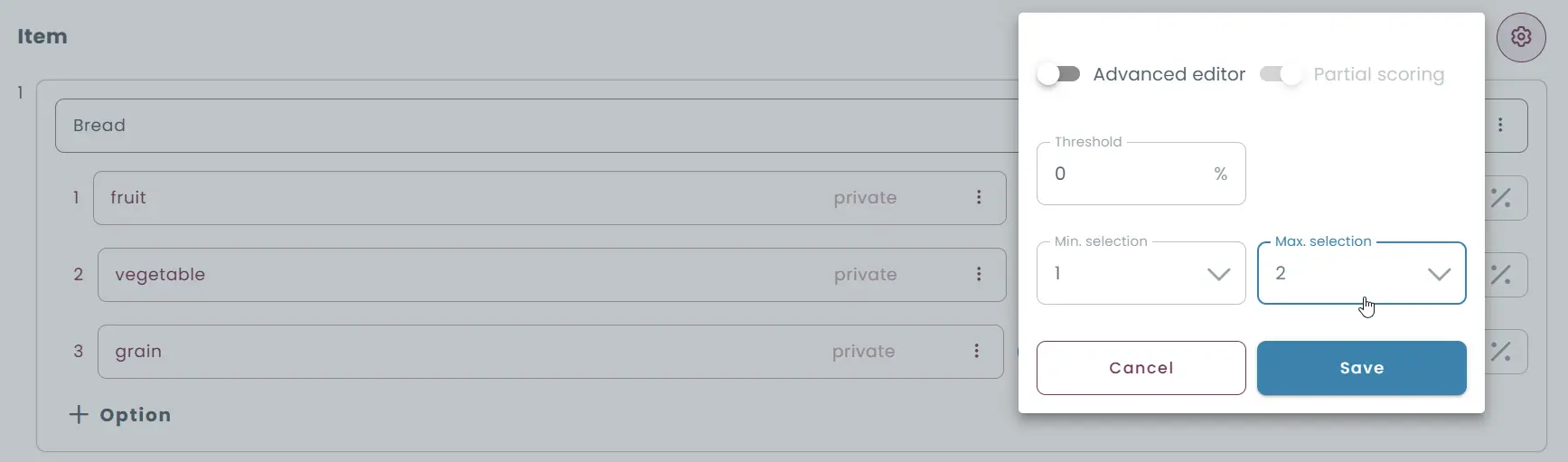
You can set minimum and maximum numbers of matches required, ensuring candidates engage with the task as intended, and reduce guessing through careful option pool design.
Media-rich and advanced matching formats
You can enrich both the question text and the items in various ways making it easy to create reading, listening, or visual reasoning tasks within your matching format.
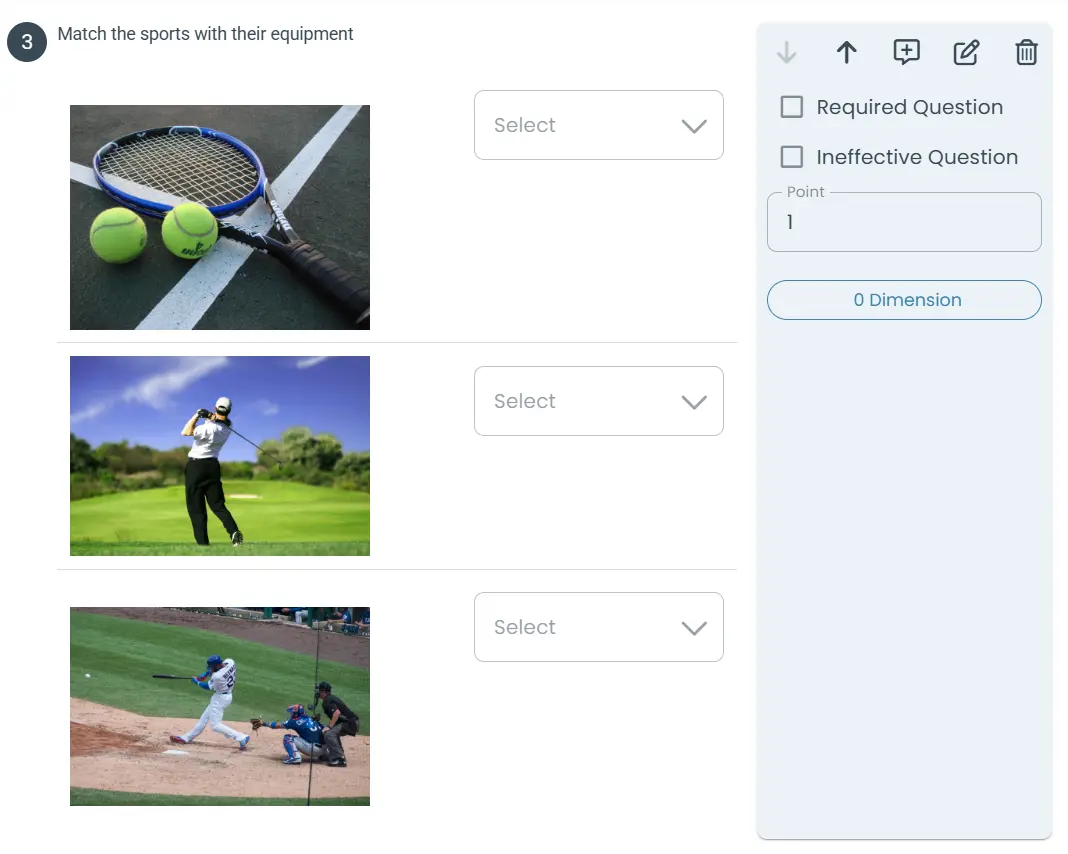
- Images: Match diagrams, photos, or visual symbols.
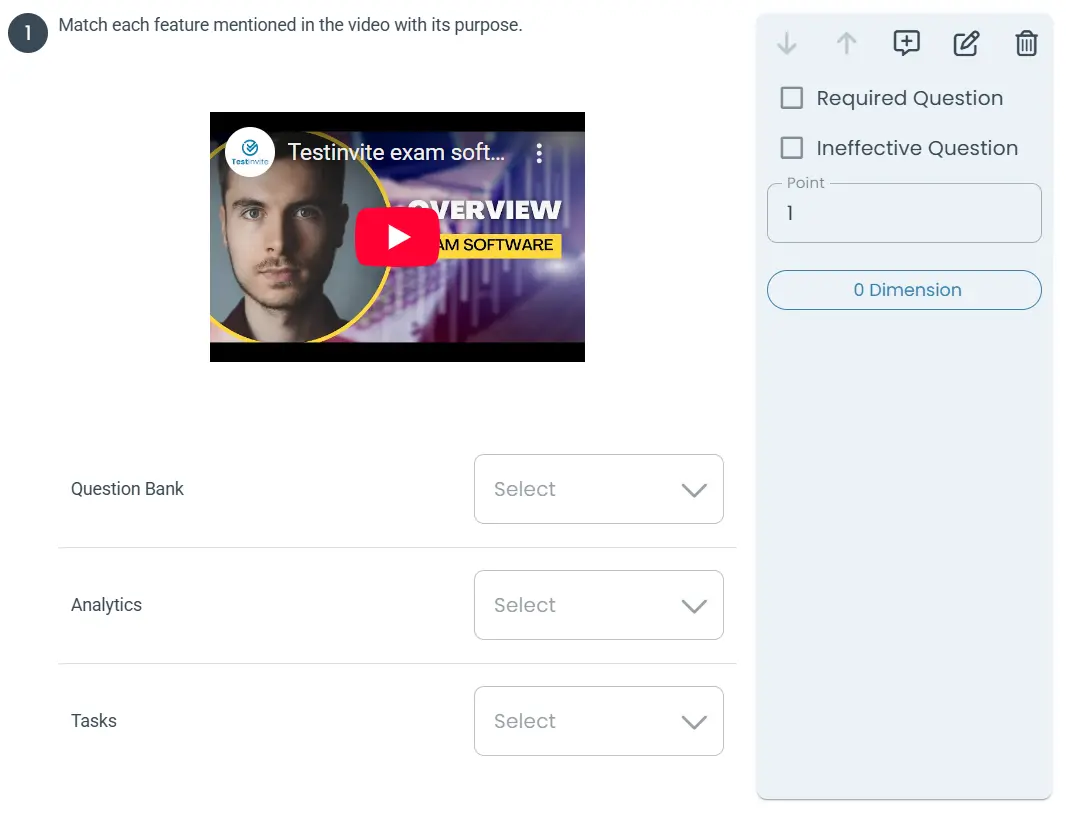
- Audio / Video: Have candidates listen and match sounds or spoken phrases to descriptions or categories, or use video clips for scenario matching or recognition tasks. Playback settings let you control how audio and video are consumed (e.g., limit plays, prevent skipping).
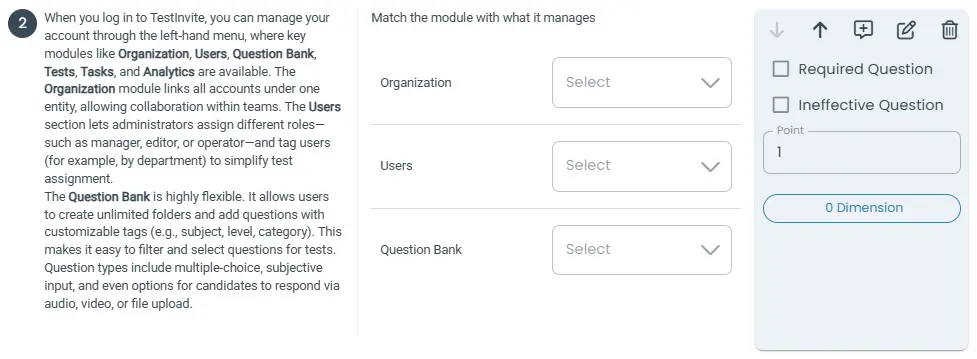
- Reading passages: Pair texts with summaries, titles, or interpretations.
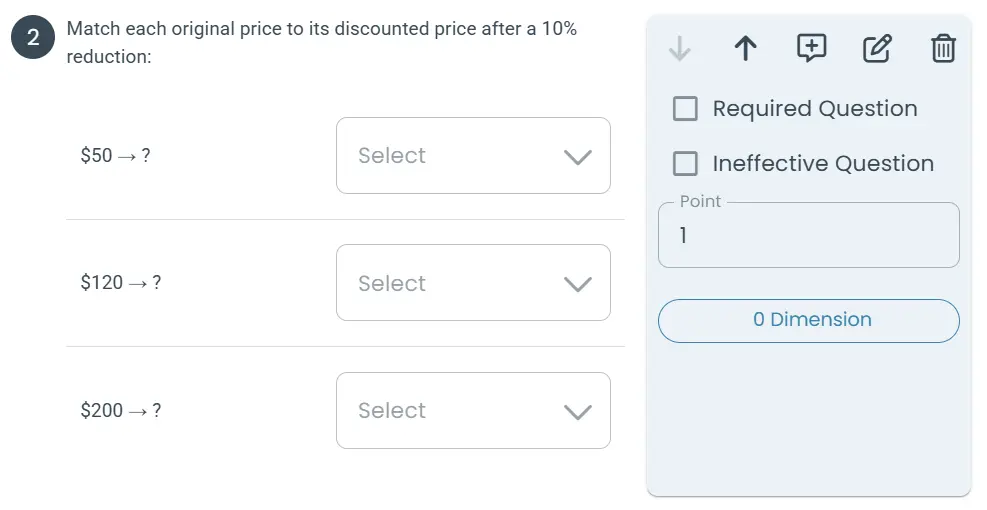
- Math expressions: Have candidates match formulas with solutions, properties, or descriptions via LaTeX or the math editor.
Configure scoring and feedback
Matching questions support advanced scoring logic:
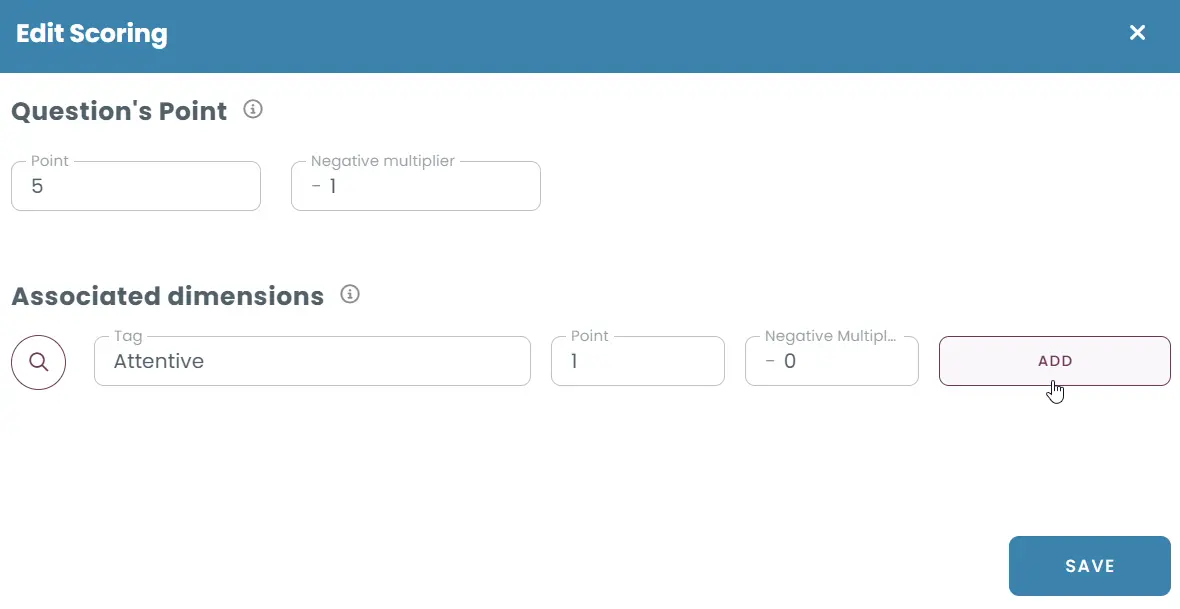
- Assign success contribution rates for correct matches, allowing partial credit for partially correct responses.
- Apply negative contribution rates for incorrect matches or blanks, if you want to penalize guessing or omissions.
- Define a scoring threshold. If the candidate’s success rate falls below this, no points are awarded.
- Use penalty multipliers to apply negative scores when the performance on a matching question is poor.
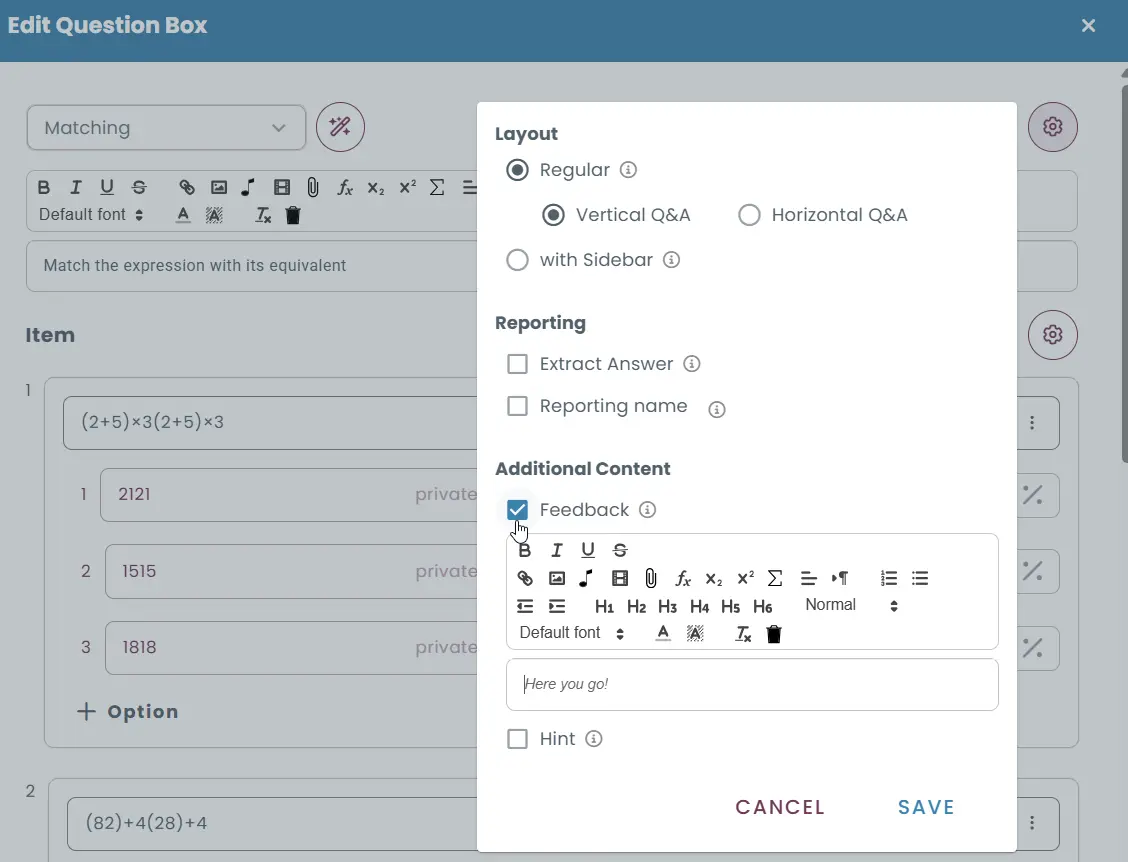
After answering, candidates can receive dynamic feedback that explains correct matches and clarifies why distractors were incorrect, shown immediately or after the test.
Ensure secure, fair delivery
Matching questions integrate seamlessly with TestInvite’s full security suite:
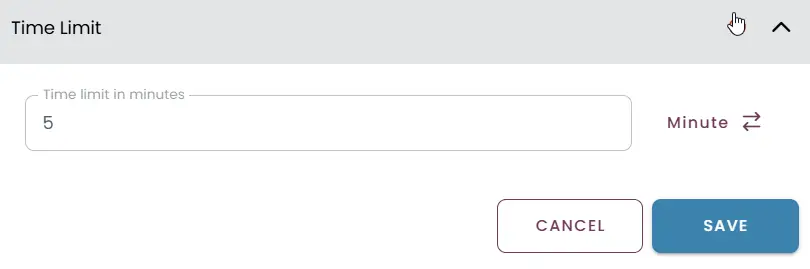
- Time limits - at the test, section, or page level.
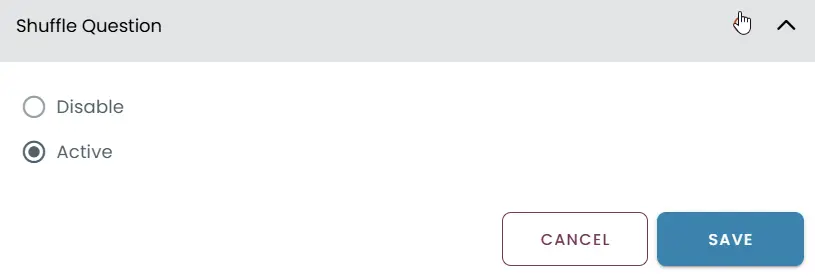
- Randomized delivery - by shuffling options and items.
- Proctoring - with webcam, mic, and screen monitoring.
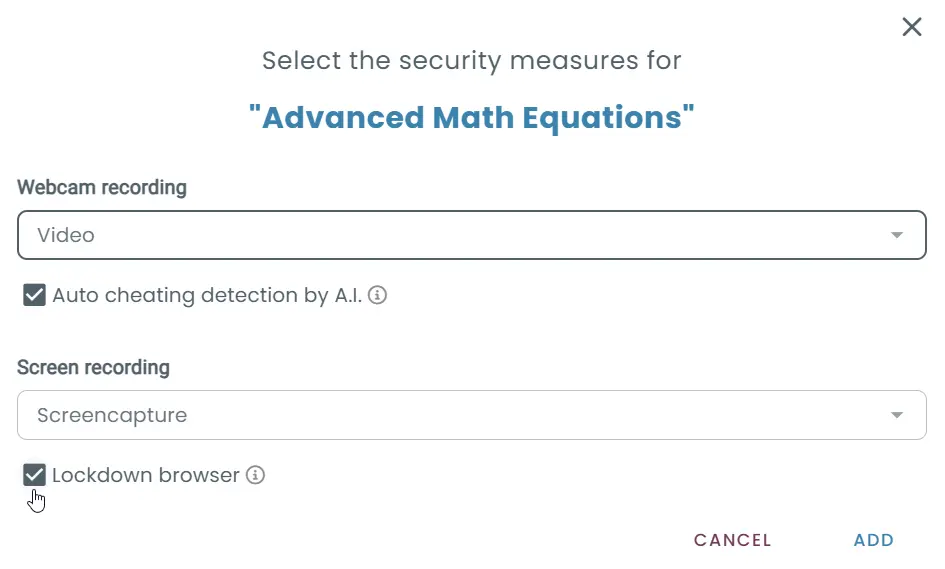
- Lockdown browser - to block external resources or applications.
You can also control access via invitation codes, login credentials, or PINs, and deliver tests to individuals or groups through bulk registration and customizable email invitations.
Advantages of matching quizzes
Matching tests allow you to cover many concepts efficiently in one question, minimize random guessing, and assess classification skills effectively. Their flexible design means they can suit a wide range of learning objectives and evaluation scenarios.
Limitations to consider
They require thoughtful design to avoid ambiguity or confusion. Overly large or poorly balanced option pools can frustrate candidates or reduce the assessment’s value. Matching primarily evaluates recognition and association, not open-ended reasoning.
When to use matching tests
Matching tests are ideal for all kinds of pairing logic assessments, such as:
- Vocabulary and definition pairings
- Country-capital matching in geography
- Concept-property associations in science
- Policy-scenario linking in compliance training
- Visual or auditory recognition tasks
Seamless matching, smarter delivery
With TestInvite, matching tests become a strategic tool for building clear, engaging, and reliable assessments that adapt to your needs.
- Empower secure high-stakes testing with built-in controls
- Design interactive, media-rich pairings that go beyond basic matching
- Track detailed performance insights across topics, skills, and dimensions
- Offer a smooth, accessible experience for test-takers on any device
From academic evaluations to certification programs and workplace training, TestInvite helps you create matching quizzes that are both scalable and effective.