









Secure Lockdown Browser for Online Exams

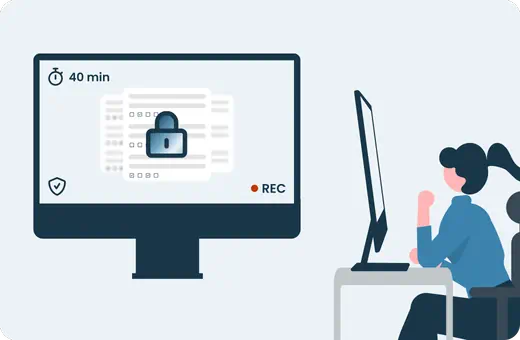
Secure the exam environment from start to finish with a lockdown browser that requires no installation. Define your rules, enforce them in real time, and run exams with confidence at any scale.
Lockdown browser interface for secure online exams

Trusted by the world's best organizations

Upgrading assessments with TestInvite

Where Lockdown Browsers Fall Short

Common failure points in traditional lockdown solutions — and how TestInvite solves each one.

Exam day setup failures

Candidates can't start because of installation errors.

Candidates switch tabs and apps

Candidates can open new tabs, apps or browsers without being detected in time.

No visibility into violations

You know something happened, but not for how long, or what the candidate was doing.
Arrow Icon
Arrow Icon
Arrow Icon

No installation, no failures

The lockdown runs entirely in the browser. Candidates open a link and start with zero setup.

Fullscreen locks them in

Any attempt to open new tabs, other apps, or browser switching is detected immediately.

Every event logged in context

Violations are recorded with a timestamp, duration, and the question on screen.

Browser Lockdown Controls

Fine-tune exactly what candidates can and cannot do during an exam session.

Fullscreen mode

The exam forces itself into fullscreen on start. If the candidate exits, the system warns them immediately and logs the event.

New tabs or windows

Candidates cannot open other browser tabs, windows, or switch to a different browser during the session.

External applications

Switching to messaging apps, screen-sharing tools, or any other application is detected and logged.

Copy/paste & text selection

Candidates cannot copy question content, highlight text, or paste anything into or out of the exam interface.

Right-click & print

Context menus, developer tools, and print dialogs are all disabled. Exam content cannot be exported or distributed.

Browser translation

Built-in translation features like Chrome's Translate this page are disabled. Exam content stays in its original language.
Browser lockdown controls configuration panel

Violation threshold settings

Define exactly when the system should intervene based on candidate behavior.

Specify how many violation events are allowed before the exam is automatically ended to prevent repeated rule breaches.

Set how long a single violation can last before it is considered a threshold breach and counted toward the total violation limit.

Define the maximum accumulated time a candidate can spend outside secure mode before it is considered a violation and triggers action.

Specify how long candidates can use the file selector during uploads before it is counted as a violation, ensuring legitimate upload actions are not flagged.

Specify how long candidates can remain on camera or microphone permission prompts before it triggers a flag.


Session Tracking & Control

Auto-flagging (no removal)

Instead of terminating the exam, the system silently flags suspicious activity in the background. You review flags after the session; candidates are never notified. Useful when you want data without disrupting the exam flow.

Auto-resuming

If a candidate disconnects mid-exam, the session doesn't terminate immediately. You define the reconnection window and the maximum number of reconnection attempts. Reduces exam disruptions caused by connectivity issues rather than misconduct.
Exam session tracking and violation log

Browser Based vs. Installation Based Lockdown

TestInvite's browser-based lockdown removes the friction of traditional desktop software without compromising security.

No software to deploy, version-manage, or update

Works on shared, corporate, and managed devices where installation is blocked. No deployment or version management required across candidate devices.

Scales to thousands without IT involvement

Run exams for thousands of concurrent participants without generating IT support volume. Installation-based solutions fail at scale on managed devices.

GDPR safe by design

No access to system processes or personal data. No elevated system privileges that create privacy and compliance exposure.

Lockdown Browser for Businesses and Institutions

Recruitment & Hiring

Secure pre-employment tests with full exam control and no installation barriers.

Education & Academic Testing

Maintain academic integrity in online exams with strict lockdown controls.

Certification & Licensing

Deliver compliant, high-stakes exams with detailed tracking and control.

Lock Down Your Exam Environment

Run secure exams with full control and no installation.
